



The landscape of content creation is rapidly evolving, with AI tools becoming indispensable for creators looking to streamline workflows and enhance output. This guide explores the 12 best AI tools for content creators in 2026, covering everything from video and writing to design and audio. We’ll also integrate how Seeddance can be used to leverage these tools for a more efficient production process.
Top 12 AI Tools for Content Creators
1) Seeddance AI
Seeddance AI stands out as a powerful platform for AI video generation, integrating multiple advanced models into a single, user-friendly interface. It democratizes high-quality video creation, making sophisticated tools accessible to a wider audience. While the platform emphasizes free access, users should consult the pricing page for potential usage limits.
Seeddance execution path:
- Build your first version in Text to Video or AI Video Generator
- Refine motion/style with Video to Video
- Add sound layers via Video to Audio when needed
- Publish one clean variant and one experiment, then compare performance
2) OpenAI — ChatGPT
As the leading conversational AI, ChatGPT is an essential, versatile tool for content creators. It supports the entire content lifecycle, from brainstorming video script ideas and outlining blog posts to drafting social media copy and generating DALL-E 3 images.
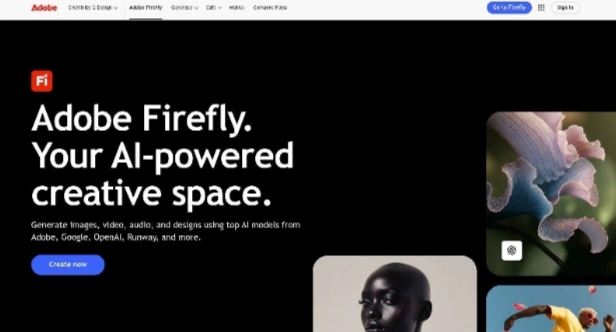
3) Adobe Firefly (within Adobe Creative Cloud/Express)
For creators deeply integrated into the Adobe ecosystem, Firefly is the native generative AI engine that seamlessly enhances existing workflows. It excels at producing commercially safe images, vectors, and effects directly within flagship applications like Photoshop and Adobe Express.
4) Canva — Magic Studio
Canva has evolved from a basic design tool into a comprehensive AI-powered creation suite with its Magic Studio. It’s an ideal platform for solo creators and small teams who need to rapidly produce a high volume of social-first visual assets.
5) Runway
Runway has established itself as a professional-grade AI video suite, catering to filmmakers, marketers, and creators who require high-fidelity visual output for their projects.
6) Descript
Descript revolutionizes audio and video editing by treating media like a text document. Creators can edit their recordings simply by modifying the auto-generated transcript, eliminating the need to grapple with complex timelines.
7) Notion — with Notion AI
Notion has transformed from a connected workspace into a powerful AI-native platform for content creation and management. It offers a unified environment for creators to research, outline, draft, and organize all projects, with AI assistance embedded directly into their workflow.
8) Midjourney
For creators focused on high-quality, artistic, and stylized visuals, Midjourney is a leading AI image generation platform. It is renowned for producing aesthetically superior images, making it a favorite for concept art, unique YouTube thumbnails, and distinctive branding.
9) Synthesia
Synthesia provides a powerful AI video generation platform for creators focused on corporate training, product explainers, or how-to guides. It converts text scripts into polished videos featuring AI avatars, removing the need for cameras, microphones, or on-screen talent.
10) ElevenLabs
ElevenLabs is the industry-leading platform for AI-generated audio, offering high-quality, human-like voiceovers. It goes beyond robotic text-to-speech, providing nuanced, emotionally rich voices suitable for YouTube narration, podcasting, advertisements, and more.
11) Luma AI — Dream Machine
For creators needing to generate short, highly realistic video clips, Luma AI’s Dream Machine is a powerful and accessible option. It excels at producing high-fidelity, cinematic short-form content perfect for social media ads, conceptual storyboards, or eye-catching visuals.
12) G2 — AI Writing Assistants Category
While not a single tool, G2’s AI Writing Assistants Category is an invaluable resource for discovering and comparing a wide array of AI writing tools. It helps creators find the best solutions for their specific writing needs, from content generation to grammar checking.
Choosing the Right AI Tools for Your Creative Stack
Selecting the right AI tools depends on your specific creative needs and workflow. Consider the key features and use cases of each tool to build a stack that complements your existing processes and helps you achieve your content goals more efficiently.
Practical Weekly Workflow with Seeddance
To maximize your content output and maintain consistency, integrate these AI tools with a structured workflow. Here’s a practical weekly approach using Seeddance:
- Define Objectives: Choose 2 to 3 content blocks from this article and set a clear weekly objective for your content.
- Initial Drafts: Produce your first video drafts using Text to Video and Image to Video on Seeddance.
- Refine & Enhance: Improve the structure and style of your videos with Video to Video.
- Add Audio: Incorporate audio where necessary via Video to Audio or generate background music with Text to Music.
- Publish & Analyze: Publish your content and track performance. Focus on the formats that consistently outperform your baseline.
This approach keeps production repeatable, reduces random editing loops, and makes weekly iteration measurable.
Conclusion
The most reliable way to scale content output is by standardizing your production process. By keeping your content structure stable, iterating section by section, and scaling only what proves effective, you can achieve consistent, high-quality results.
Call to Action
- Start with Image to Video: https://seeddance.app/image-to-video
- Start with Text to Video: https://seeddance.app/text-to-video
- Refine with Video to Video: https://seeddance.app/video-to-video
- Add audio with Video to Audio: https://seeddance.app/video-to-audio
- Build supporting visuals: https://seeddance.app/text-to-image
FAQs
Can this workflow work for a solo creator?
Yes. Start with a small weekly scope and reuse the same production blocks to maintain efficiency.
How many variants should I test per post?
Testing 2 to 4 focused variants is usually sufficient to identify clear winners and optimize your content.
Should I prioritize trends or consistency
Use trends to boost reach, but maintain a consistent format system for long-term brand recognition and memory.