



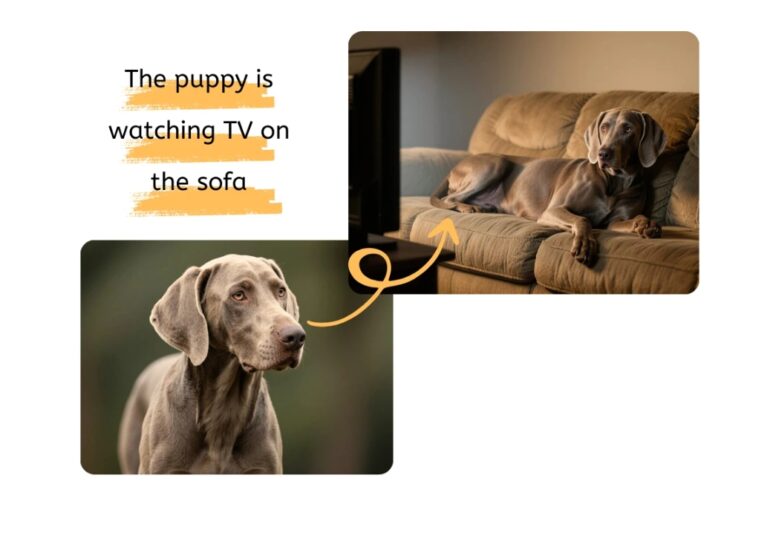
Got a blurry photo you wish were clearer? We’ve all been there. You have a great picture, but it’s just too small or pixelated to use for your website, social media, or a print project. In the past, trying to enlarge a low-resolution image just made it look worse, resulting in a blocky, unusable mess. Fortunately, that’s no longer a problem in 2026.
Artificial intelligence has completely changed how we handle image editing. AI image upscalers don’t just stretch your photos; they intelligently analyze and rebuild them. These tools add new pixel data, sharpen blurry edges, and clean up digital noise to create a high-resolution version that looks like it was taken with a much better camera. This guide will show you how to do it for free.
What Exactly is AI Image Upscaling?
Traditional resizing, also known as interpolation, just makes the existing pixels in your photo bigger. This is why images get blurry and pixelated when you enlarge them. The software is just guessing what to fill in the new space with, and it’s usually not very accurate.
AI upscaling is different. It uses a trained neural network that has learned from millions of images. When you upload your photo, the AI recognizes the objects, textures, and patterns within it. Instead of just stretching pixels, it generates new, realistic details to fill in the gaps. It can sharpen a person’s face, define the texture of fabric, and clean up a noisy background. The result is a larger image that’s both sharp and natural.
Our Top-Rated Free AI Image Upscalers for 2026
After reviewing dozens of tools, we’ve found two that consistently deliver outstanding results without costing a penny. They are powerful, easy to use, and perfect for both beginners and professionals.
1. PhotoEditorAI.io
PhotoEditorAI stands out as a comprehensive, all-in-one editing suite. While it offers many features like background removal and object erasing, its upscaling capabilities are powered by multiple advanced AI models. This gives you incredible flexibility and control over the final result. We found its ability to enhance images for e-commerce and marketing to be particularly strong, delivering clean and professional visuals every time. It’s more than just an upscaler; it’s a complete toolkit for anyone needing polished images.
One of the best things about this tool is its accessibility. You can start editing right from your browser with no sign-ups or software to install. For those who need a versatile Free AI Image Editor that handles much more than just resolution enhancement, this is the top choice. The platform supports various file formats and allows high-resolution downloads, making it suitable for both digital and print projects.
2. EZRemove.ai Image Upscaler
If your primary goal is to increase image resolution quickly and effectively, EZRemove.ai is a focused and powerful solution. This tool is designed specifically for upscaling, and it excels at it. It lets you increase image size by 2x or 4x while preserving textures and cleaning up compression artifacts. We were impressed by how well it handled different types of photos, from old family portraits to modern product shots for online stores.
The process is incredibly simple: upload your image, let the AI work its magic, and download the enhanced version in seconds. What makes it a top-tier option is its intelligent noise reduction. The AI can tell the difference between important details and unwanted grain, sharpening only what matters. This makes it the ideal Free AI Image Upscaler Online for anyone who needs crisp, clean images without a complicated workflow. It’s perfect for social media managers, marketers, and designers who need high-quality results fast.
Why You Might Need to Upscale an Image
Increasing image resolution isn’t just for professional photographers. There are many everyday situations where a high-quality upscaler can save the day.
For E-Commerce and Online Stores
Clear, high-resolution product photos are non-negotiable in e-commerce. Customers need to see details to feel confident in their purchase. An AI upscaler can turn standard product shots into crisp, zoomable images that build trust and increase conversions. You can enhance fabric textures, clarify small features, and ensure your entire storefront looks professional.
For Social Media and Content Creation
Social media platforms often compress images, which can ruin their quality. Upscaling your photos before you upload them helps them stay sharp and clear in your followers’ feeds. Whether it’s for an Instagram post, a YouTube thumbnail, or a Facebook ad, a high-resolution image is more likely to stop the scroll and grab attention.
For Printing
If you’ve ever tried to print a small image, you know it often comes out pixelated and blurry. AI upscaling allows you to prepare low-resolution photos for physical prints like flyers, posters, and photo books. This is especially useful for restoring old family photos that you want to preserve in an album.
For Web Design and Presentations
Using blurry or pixelated images on a website or in a professional presentation can look unprofessional. An upscaler ensures that all your visuals, from hero images to small icons, are sharp and clear on any screen size. This improves the user experience and makes your content look more polished and credible.
How to Get the Best Results from an AI Upscaler
While these tools are powerful, you can take a few steps to ensure you get the best possible outcome.
1. Start with the Best Possible Source Image
An AI can do a lot, but it can’t create detail out of thin air. The better your starting image, the better the final result will be. If you have multiple versions of a photo, choose the one with the least compression and the clearest details, even if it’s small.
2. Choose the Right Upscale Factor
Most tools will offer options like 2x or 4x enlargement. It can be tempting to go for the maximum setting every time, but it’s not always necessary. For web use, a 2x upscale is often enough to make an image look great. For high-resolution printing, you might need 4x. Experiment with the settings to find the right balance between size and quality for your specific needs.
3. Check for Artifacts and Unnatural Textures
AI is smart, but it’s not perfect. After upscaling, zoom in and inspect the image closely. Look for any strange patterns, overly smooth textures (like “plastic skin”), or other artifacts. The best tools, like the ones recommended above, are tuned to keep results looking natural, but it’s always a good idea to double-check.
4. Make Minor Adjustments Afterward
Sometimes, an upscaled image might benefit from a few final touches. You might want to slightly adjust the brightness, contrast, or saturation to make it pop. Many all-in-one tools, such as PhotoEditorAI, allow you to make these adjustments right on the platform.
Frequently Asked Questions (FAQ)
Is AI image upscaling truly free?
Yes, many powerful AI upscaling tools are available for free. The services we’ve highlighted, PhotoEditorAI and EZRemove.ai, offer free access to their core features without requiring a subscription or sign-up. This is perfect for users who need to enhance images for personal projects, social media, or small business needs.
How much can I enlarge an image with an AI upscaler?
Most free AI tools allow you to increase an image’s resolution by 2x or 4x. This means you can double or quadruple the width and height of your photo. For example, a 600×400 pixel image can become a 2400×1600 pixel image, which is large enough for most web and print applications.
Does upscaling an image reduce its quality?
With traditional resizing methods, yes. But with AI upscaling, the goal is to enhance the quality, not reduce it. The AI intelligently adds detail, sharpens lines, and removes noise, so the final image should look significantly better than a simple enlarged version.
What file formats are supported?
The best free AI upscalers support popular formats like JPEG, PNG, and WEBP. This ensures you can upload images from almost any source, whether it’s your phone, a digital camera, or the web. You can typically download the enhanced image in your preferred format as well.
Final Thoughts
You no longer need expensive software or professional editing skills to fix low-resolution photos. With the power of free AI tools like PhotoEditorAI and EZRemove.ai, anyone can upscale images to stunning high quality in just a few clicks. Whether you’re an e-commerce owner, a content creator, or just someone who wants to restore old family pictures, these browser-based solutions provide everything you need to make your visuals look sharp, clear, and professional in 2026.