


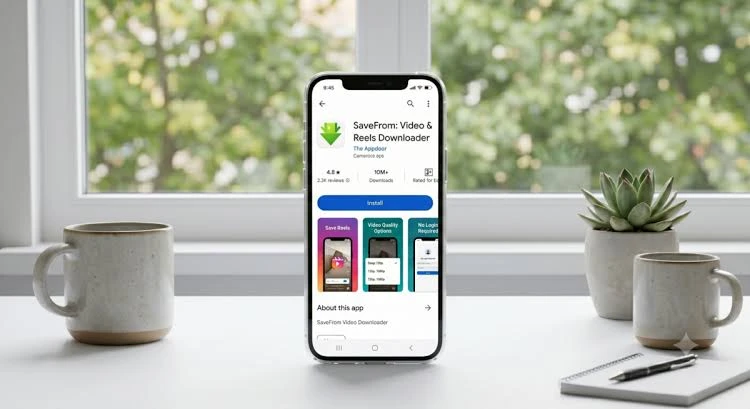
Instagram has become one of the world’s most popular platforms for sharing photos, videos, Stories, and Reels. Every day, millions of users discover inspiring travel clips, cooking tutorials, fitness routines, educational content, and entertaining videos they want to save for offline viewing. However, Instagram does not offer a built-in option to download most public content directly to your device.
This is where Instagram downloaders come in. These online tools make it easy to save videos, Reels, photos, carousel posts, and sometimes even Stories in just a few clicks. Whether you’re collecting creative inspiration, saving educational resources, or keeping memorable posts for offline access, the right downloader can make the process quick and convenient.
In this guide, we’ll explore 10 free Instagram downloaders for videos, Reels, and images. We’ll compare their features, strengths, and ideal use cases to help you choose the best option.
Why Use an Instagram Downloader?
There are many legitimate reasons to download Instagram content, including:
- Watch videos offline during travel.
- Save educational tutorials.
- Archive your own Instagram posts.
- Collect creative inspiration.
- Keep recipes, DIY guides, or workout videos.
- Store high-quality images for personal reference.
Always respect copyright laws and creators’ rights when downloading content. Only download material you have permission to use or content intended for personal viewing.
What Makes a Good Instagram Downloader?
Before choosing a downloader, consider these important features:
Easy to Use
A good downloader should require nothing more than copying and pasting the Instagram URL.
Fast Downloads
Nobody wants to wait several minutes for a short video.
High-Quality Files
The best tools preserve the original image and video quality whenever possible.
Multiple Content Types
Many users want to download:
- Videos
- Reels
- Photos
- Carousel posts
- Stories (where supported)
No Software Installation
Browser-based tools work across Windows, macOS, Android, iPhone, and tablets without requiring downloads.
1. SnapInsta
SnapInsta remains one of the most popular choices for downloading Instagram content. It offers a simple interface that allows users to save videos, Reels, photos, and carousel posts with minimal effort.
One of the biggest advantages of SnapInsta is its speed. Users simply copy an Instagram URL, paste it into the website, and receive a downloadable version within seconds.
Key features include:
- Video downloads
- Reel downloads
- Image downloads
- Carousel support
- Mobile friendly
- No registration required
Because of its ease of use, SnapInsta is often recommended for beginners and experienced users alike.
2. SaveInsta
SaveInsta is another well-known downloader that supports various Instagram content types.
Users appreciate its clean interface and compatibility with both desktop and mobile devices.
Highlights include:
- Fast processing
- HD downloads
- Simple copy-and-paste workflow
- Free access
3. iGram
iGram has earned a solid reputation for reliability.
It supports:
- Photos
- Videos
- Reels
- Carousel albums
Its straightforward interface makes it suitable for users who want a quick download experience without unnecessary features.
4. FastDl
FastDl focuses on speed and simplicity.
Instead of overwhelming users with options, it provides a streamlined experience that works well across modern browsers.
Advantages include:
- Fast downloads
- Responsive design
- Supports multiple file formats
- Works on smartphones and computers
5. Inflact Downloader
Inflact offers more than simple downloads.
In addition to downloading public Instagram content, it provides marketing and social media management features for users who need additional functionality.
Its downloader supports:
- Photos
- Videos
- Reels
- Profile content
6. DownloadGram
DownloadGram has existed for years and remains popular because of its simplicity.
There are no complicated settings.
Users simply:
- Copy the Instagram URL.
- Paste it.
- Click Download.
This straightforward process makes it a favorite among casual users.
7. SSSInstagram
SSSInstagram supports downloading various public Instagram content types while maintaining a beginner-friendly interface.
Popular features include:
- HD quality
- Reel downloads
- Photo downloads
- Fast processing
The service works directly from a web browser without additional software.
8. InstaSave
InstaSave is designed for users who frequently save Instagram content.
It supports multiple devices and delivers quick download speeds.
Its clean interface reduces distractions while making downloads straightforward.
9. IGDownloader
IGDownloader focuses on reliability and compatibility.
Whether you’re using Android, iPhone, Windows, or macOS, the downloader works through your browser without requiring installation.
Users appreciate:
- Easy navigation
- Good performance
- Support for public Instagram posts
10. Toolzu Instagram Downloader
Toolzu rounds out our list with a feature-rich downloader that supports numerous Instagram media types.
It offers:
- Photo downloads
- Video downloads
- Reel downloads
- User-friendly interface
Many users appreciate its responsive design across desktop and mobile devices.
How to Download Instagram Videos
Although each downloader has its own interface, the general process is very similar.
Step 1
Open Instagram and locate the post.
Step 2
Copy the post’s URL.
Step 3
Open your preferred Instagram downloader.
Step 4
Paste the copied link.
Step 5
Click the download button.
Step 6
Save the file to your device.
The process usually takes less than a minute.
Can You Download Instagram Reels?
Yes.
Most modern Instagram downloaders support Reels. Simply copy the Reel’s link and paste it into the downloader.
Many tools preserve the original video quality for a better viewing experience.
Can You Download Instagram Photos?
Absolutely.
Many downloaders allow users to save:
- Single images
- Carousel albums
- Multiple photos
This is especially useful for photography inspiration, design references, and educational content.
Are Instagram Downloaders Safe?
Most reputable browser-based downloaders are safe when used responsibly.
To stay secure:
- Use trusted services.
- Avoid downloading unknown software.
- Keep your browser updated.
- Do not enter your Instagram password unless absolutely necessary.
- Be cautious of excessive advertisements.
Tips for Choosing the Best Downloader
Before selecting an Instagram downloader, consider the following:
Speed
Faster tools improve the overall experience.
Quality
Look for downloaders that preserve the original image or video resolution.
Device Compatibility
Choose one that works on:
- Android
- iPhone
- Windows
- macOS
- Tablets
Ease of Use
A simple interface saves time and reduces frustration.
Supported Content
The best downloaders support:
- Videos
- Reels
- Images
- Carousel posts
Common Mistakes to Avoid
Many users experience problems because of simple mistakes.
Avoid these issues:
- Copying an incorrect URL.
- Trying to download private posts without permission.
- Using outdated downloader websites.
- Clicking misleading advertisements.
- Downloading copyrighted material without authorization.
Benefits of Browser-Based Downloaders
Online downloaders continue to grow in popularity because they offer several advantages.
These include:
- No installation required
- Cross-platform compatibility
- Fast performance
- Easy access
- Regular updates
- Convenient interface
Most users only need a browser and an internet connection.
Frequently Asked Questions
Are Instagram downloaders free?
Many of the most popular downloaders offer free access with basic downloading features.
Can I download Instagram Reels in HD?
Many services preserve the original quality whenever available.
Do I need to install software?
No. Most modern Instagram downloaders work directly from your web browser.
Can I use these downloaders on my phone?
Yes. Most are compatible with Android and iPhone browsers.
Can I download carousel posts?
Many downloaders support multiple-image carousel posts as well as videos.
Final Thoughts
Finding the right Instagram downloader depends on your individual needs. Some users prioritize speed, while others value support for multiple content types or a clean interface.
Among today’s popular options, SnapInsta stands out for its ease of use, broad compatibility, and ability to download videos, Reels, images, and carousel posts with a straightforward workflow. However, the other tools on this list also offer reliable ways to save public Instagram content for offline viewing.
Whichever downloader you choose, remember to use it responsibly. Respect copyright, honor creators’ rights, and download only content you are permitted to save. By selecting a trusted tool and following best practices, you can enjoy your favorite Instagram videos, Reels, and images whenever you need them.