


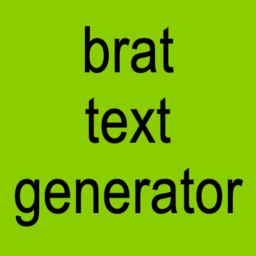
A brat generator is a simple online creative tool that lets you turn ordinary words and phrases into bold, minimalist graphics inspired by the distinctive visual style associated with Charli XCX’s Brat era. Instead of opening complex design software and manually adjusting fonts, colours, spacing, and effects, you can create a customised design directly in your browser.
The appeal is largely based on simplicity. A short phrase, a strong background colour, and distinctive typography can create an instantly recognisable image. That makes brat-style generators particularly useful for social media posts, memes, profile pictures, playlist artwork, wallpapers, and personal creative projects.But there is more to the style than simply putting text on a green background. Understanding its visual elements can help you create designs that look intentional rather than like a generic template.
What Is a Brat Generator?
A brat generator is a web-based creative tool that allows users to create eye-catching graphics inspired by the recognisable visual style of Brat. Instead of designing everything manually, users can enter their own words or phrases and customise different elements, including the background colour, typography, text size, spacing, and visual effects such as blur or smudge.
The style is known for its deliberately minimal appearance, where bold typography and colour take centre stage rather than photographs or complex illustrations. Modern brat generators make this aesthetic easier to personalise by offering options such as different canvas sizes, square or portrait layouts, custom text colours, adjustable letter spacing, and downloadable PNG images. Depending on the platform, users can quickly create designs suitable for social-media posts, profile images, memes, wallpapers, or other creative projects.
Where Did the Brat Aesthetic Come From?
The visual style became closely associated with Charli XCX’s 2024 album Brat. The album artwork used a deliberately stripped-back design built around lowercase typography and a vivid green background.
That simplicity made the artwork highly adaptable. Fans and internet users could replace the original text with their own names, jokes, reactions, phrases, and captions without needing advanced graphic-design skills.
The aesthetic subsequently became a recognisable part of online culture, particularly across social media. What made it effective was not complicated design technology but the fact that the basic format was easy to understand and reproduce.This is also why the brat text generator became a popular type of creative tool: it removes the technical work and lets users concentrate on the words they want to display.
What Makes Brat-Style Graphics Different?
- Minimal Typography: The design focuses mainly on the text, keeping the layout simple and visually impactful.
- Bold Colours: Bright and noticeable colours, especially the familiar green, help the design stand out.
- Lowercase Text: Lowercase lettering gives the graphic a casual, modern, and distinctive appearance.
- Soft Effects: Blur, grain, or smudge effects can create the slightly imperfect look associated with the aesthetic.
- Plenty of Empty Space: A clean layout with enough spacing keeps the design balanced and prevents it from looking cluttered.
How Does a Brat Generator Work?
Using a brat generator is usually simple, even for users with no previous graphic-design experience. Start by entering a short word, name, phrase, caption, or message that you want to feature in the design. Next, select a background colour, such as the classic green associated with the brat aesthetic, or choose a different colour if the generator provides custom options.
You can then adjust the typography by changing the font size, weight, spacing, alignment, or line height to achieve the desired appearance. Some tools also offer effects such as subtle blur, grain, or texture, which can help create a more distinctive and slightly imperfect look. Before downloading the design, preview the final result to make sure the text is clear, properly positioned, and visually balanced. Once you are satisfied with the design, export it as an image, with PNG being a popular choice for maintaining clear text and good digital quality.
What Can You Create With a Brat Generator?
One reason these tools remain useful is their flexibility. You are not limited to recreating an album-style graphic.
Social Media Posts
Create short, attention-grabbing graphics for Instagram, TikTok, Facebook, X, or other platforms. A simple phrase can become a visual post without requiring a full design project.
Profile Pictures
Your name, nickname, or a one-word statement can be transformed into a distinctive profile image.
Memes
The minimalist format works particularly well for short jokes, reactions, and internet humour.
Playlist Artwork
You can create custom artwork for Spotify or other personal playlists by combining a short title with a brat-inspired design.
Phone Wallpapers
A single word or motivational phrase can make an effective minimalist wallpaper.
Digital Posters
The style can also work for announcements, event graphics, personal projects, and digital artwork.
Reaction Images
Short phrases such as “whatever”, “not today”, or “main character” can be turned into simple reaction graphics.
Brat Generator Ideas: What Should You Write?
If you have opened a generator but cannot decide what to type, start with something personal.Here are some ideas:
- Your first name
- Your nickname
- A favourite word
- A short mood
- A funny reaction
- A memorable date
- A playlist title
- A short personal statement
- A one-line joke
- A simple motivational phrase
For example, instead of creating a complicated sentence, you could use a single word such as “unbothered”, “chaos”, “iconic”, or “whatever”.The important thing is to choose text that fits the visual format. Shorter phrases usually create a stronger result because the typography remains the main focus.
Brat Generator vs. Traditional Design Software
You could recreate a similar graphic manually using Photoshop, Canva, Figma, or another design platform. However, doing everything yourself takes more time.You may need to:
- Create a canvas.
- Select a suitable font.
- Choose a background colour.
- Position the text.
- Adjust letter spacing.
- Resize the typography.
- Apply blur or texture.
- Check the composition.
- Export the final image.
A dedicated generator simplifies this workflow by putting the main settings in one place.That does not mean traditional design software is unnecessary. Professional design programs remain better when you need multiple layers, illustrations, branding elements, photographs, or complex layouts.For a quick text-based graphic, however, a generator can be much faster.
How to Make Your Brat Design Look Better
A generator can handle the technical side, but the quality of the final result still depends on your choices.
Keep the Message Short
Long paragraphs can make the design crowded. A few carefully chosen words usually have more impact.
Do Not Overdesign It
The minimalist nature of the style is part of its appeal. Avoid adding unnecessary graphics simply because the editor gives you the option.
Prioritise Readability
Your text should remain clear on both desktop and mobile screens.
Experiment With Colour
The classic green is instantly recognisable, but alternative colours can help you create a more personalised version.
Use Blur Carefully
A small amount of blur can create the intended visual effect. Too much can make the text difficult to read.
Choose the Right Canvas
A square format can work well for profile images and many social posts, while portrait dimensions may be more suitable for Stories and mobile-first content.
Is a Brat Generator Free?
Many online brat generators provide free basic functionality. Some allow users to create and download images without registering, while others may offer additional features behind optional paid plans.
Before using a particular service, check its current terms. Features such as high-resolution exports, premium templates, advanced effects, or commercial-use rights may differ from one website to another.If you only need a basic text graphic, a free browser-based tool may be enough.
Can You Use Brat Generator Images Commercially?
This depends on how the image is created and the terms of the particular tool you use.If you are creating artwork for a personal social-media account, the situation may be different from using a design in a commercial campaign, product, advertisement, or merchandise.Before using a generated graphic commercially, review:
- The generator’s terms of use
- Font licensing
- Image or template licensing
- Any third-party intellectual-property considerations
- Rules relating to commercial use
A generator can help you create an image, but that does not automatically mean every element of the resulting design is unrestricted for every commercial purpose.
Is a Brat Generator Safe?
A basic generator does not normally require complicated information from the user. Nevertheless, you should treat unfamiliar websites carefully.
Avoid entering sensitive personal information into a tool that does not need it. If a website asks you to create an account, review its privacy policy before providing information.It is also sensible to check whether your uploaded images or generated designs are processed locally in the browser or sent to a server.For simple text graphics, a tool that does not require unnecessary personal information can be a more convenient option.
Why Are Brat Generators Popular?
The popularity of these tools comes down to accessibility.
Traditional graphic design can feel intimidating to beginners. A generator removes much of that barrier. You do not need to understand layers, complex typography settings, or professional editing software.
There is also a social element. Because the visual style is recognisable, users can create personalised versions while still participating in a broader online trend.In other words, the generator combines simplicity, personalisation, and shareability.
FAQs
What is a brat generator?
A brat generator is an online tool that creates text-based graphics inspired by the visual aesthetic associated with Charli XCX’s Brat era.
Is a brat generator the same as a brat text generator?
In most cases, the terms refer to very similar tools. A brat text generator usually focuses specifically on creating customised text graphics, while some brat generators may include additional options for album covers, memes, backgrounds, and layouts.
Do I need Photoshop to make brat-style images?
No. A dedicated generator can handle the basic typography, colour, spacing, and effects for you.
Can I use my own words?
Yes. Most generators are designed around custom text, allowing you to enter names, captions, phrases, reactions, or other short messages.
Can I use a brat generator on my phone?
Yes. Browser-based generators that use responsive interfaces can generally be used on smartphones and tablets as well as computers.
Final Thoughts
A brat generator turns a distinctive internet-era visual style into an easy creative experience. Instead of spending time recreating typography and colour combinations manually, users can enter their own words, adjust a few settings, and produce a personalised graphic in minutes.
The best results usually come from keeping things simple. Choose a short phrase, use strong contrast, leave enough empty space, and avoid adding unnecessary design elements.