Build a Lifelike Digital You With an Internet Avatar Creator
Showing your face on camera is the fastest way to build trust online, yet plenty of capable people freeze at the thought of filming themselves. Maybe you dislike how you look on video, maybe your recording space is a mess, or maybe you simply cannot record consistently enough to keep a channel alive. A digital presenter solves all of that at once, letting a realistic on-screen persona deliver your message while you stay comfortably behind the scenes. This is not about deception; it is about presenting a polished, consistent version of yourself that can appear in dozens of videos without a single reshoot. Creators, educators, and small businesses are using this approach to publish talking-head content at a scale that would be impossible to film by hand. This guide walks through what these digital presenters are, how to build one that feels genuinely lifelike, and how to use it to produce professional video without ever setting up a camera.
What a Digital Presenter Really Is
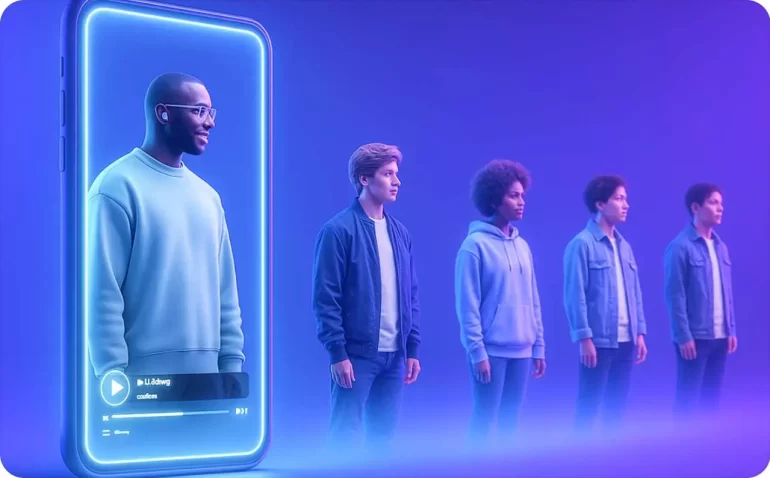
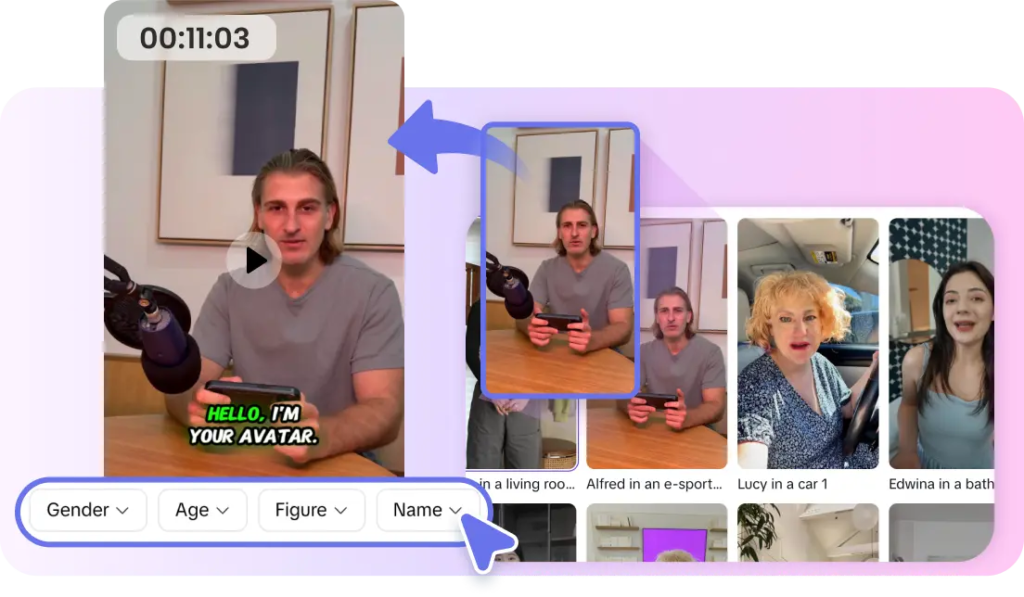
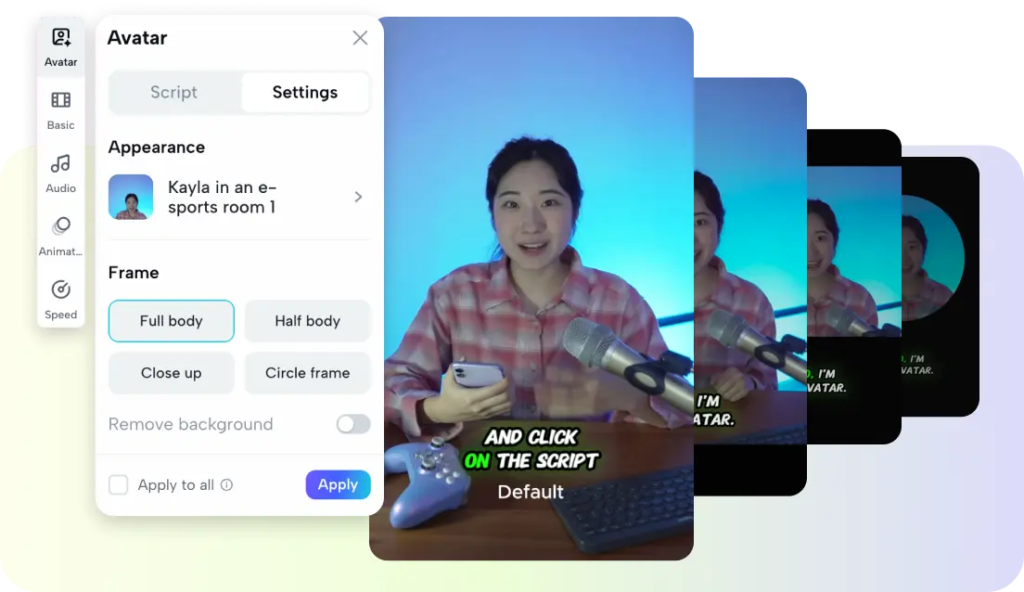
At its core, a digital presenter is a synthetic on-screen person who can speak any script you provide, with natural facial movement, expression, and lip-sync that matches the words. You type or paste your text, choose a voice, and the system renders a video of your presenter delivering it as if they were sitting in front of a camera. A good internet avatar creator gives you control over appearance, tone, and setting, so the figure on screen aligns with your brand rather than looking like a generic stock character. The appeal is consistency and repeatability. Once your presenter exists, it can appear in an endless series of videos with the same look, energy, and delivery, which is something even a professional human host struggles to guarantee across a long content calendar.
Choosing an Appearance That Fits Your Brand
The look of your presenter sends a message before a single word is spoken, so choose it deliberately. A crisp, professional appearance suits corporate training or financial content, while a warmer, more casual style fits lifestyle, education, or community channels. Consider your actual audience and what would make them comfortable and trusting, not just what looks impressive. Wardrobe, background, and overall vibe should reflect the personality you want associated with your name. Spend real time on this decision, because your presenter becomes the recurring face of everything you publish, and a mismatch between that face and your message quietly undermines credibility no matter how good the content itself is.
Writing Scripts That Sound Human
The realism of your finished video depends heavily on the words you feed it, because even a perfect visual falls flat with stiff, robotic writing. Write the way people actually speak, using contractions, short sentences, and the occasional aside, rather than the formal prose you might use in a document. Read your script aloud before rendering, and rewrite anything that trips your tongue, since what is awkward for you to say will sound awkward from your presenter too. Pay attention to pacing as well, adding natural pauses where a real speaker would breathe or emphasize a point. When the script sounds like genuine conversation, the digital delivery feels convincingly human, and viewers stop noticing the technology and start absorbing the message.
Matching Voice, Tone, and Expression
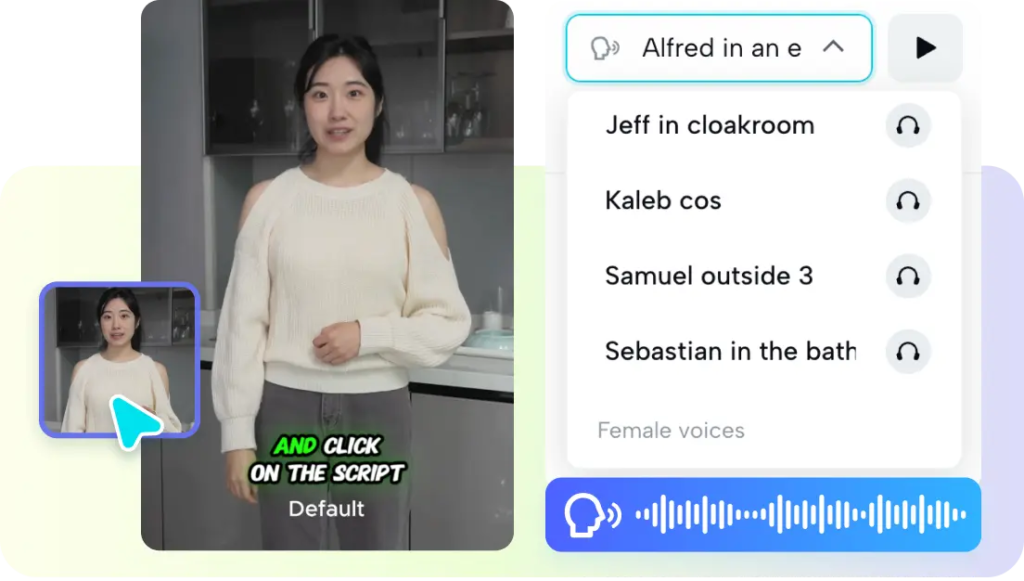
A lifelike result depends on harmony between how your presenter looks and how it sounds. A friendly face paired with a cold, monotone voice creates an unsettling mismatch that audiences feel even if they cannot name it. Choose a voice whose warmth, pace, and accent suit both the character and your content, then make sure the emotional tone of the delivery fits the material. Serious topics call for measured gravity, while upbeat announcements call for energy. The subtle expressions and gestures your presenter makes should reinforce that tone rather than contradict it. When every element points in the same direction, the whole thing clicks into place and reads as a single, coherent person rather than a collection of settings.
Producing at Scale Without Reshoots
The real payoff arrives once your presenter is established and you begin producing in volume. Because there is no camera, lighting, or wardrobe to reset, you can generate a week or a month of videos in a single sitting, simply by swapping in new scripts. Pippit AI makes this batching straightforward, letting you turn a stack of scripts into finished, consistent videos without the fatigue of repeated filming. This is where the approach outpaces traditional recording entirely, since a human host cannot deliver a hundred takes with identical energy, but a digital one can. That reliability lets you commit to an ambitious publishing schedule and actually keep it, which is often the single biggest factor in whether a channel grows.
Using Your Presenter Responsibly
With this capability comes a duty to use it honestly. Audiences forgive a digital presenter when the content is genuinely helpful and the intent is transparent, but they feel betrayed by anything that tries to pass off fabricated claims as real testimony. Keep your presenter as a vehicle for your authentic message rather than a mask for misleading one. Be thoughtful about contexts where a real human presence is expected, and lean on the digital approach where consistency and scale matter most, such as tutorials, updates, and educational series. Used with that judgment, a digital presenter becomes a trustworthy extension of your brand rather than a shortcut that erodes the very credibility you were trying to build.
Putting Your Digital Presenter to Work
A realistic on-screen persona removes the single biggest obstacle that keeps capable people from publishing video: the discomfort and logistics of filming yourself. By building a presenter that fits your brand, writing scripts that sound genuinely conversational, and aligning voice with appearance, you can produce polished talking-head content without ever facing a camera.
The scale it unlocks is remarkable, letting you keep an ambitious publishing schedule that would be impossible to film by hand, and consistency at that scale is what drives real audience growth. Treat the tool honestly, as a way to present your authentic message more reliably rather than to deceive, and it becomes a durable asset instead of a gimmick.
If self-recording has been the thing holding your content back, this is your path around it. Design your presenter, write your first script, and start publishing. For more insights on digital presenter strategies and scalable content, explore the guides available at Migatrendz.com — a resource built to help creators balance technology with authenticity.