




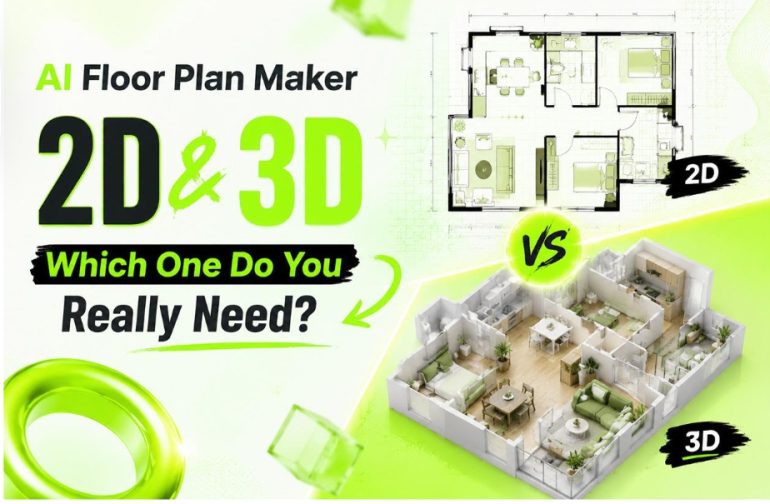
When I first decided to rearrange my apartment, I thought the hardest part would be moving furniture. It turned out the real challenge was figuring out whether everything would actually fit together before I spent any money. I searched for design software, only to find complicated programs full of technical tools that made me want to close the browser immediately. What I really needed was something simple enough for someone with zero design experience. That’s when I came across a floor plan maker AI. Instead of drawing walls manually or learning professional software, I simply selected the number of rooms, chose a house style, and watched the layout appear within seconds. To my surprise, the floor plan maker AI didn’t just create a basic 2D floor plan—it also generated a realistic 3D house preview that helped me imagine walking through my future space. Suddenly, decorating my home felt exciting instead of stressful. If you’ve ever wondered whether a 2D plan is enough or if you should generate a 3D home visualization, this guide will help you understand the differences and choose the option that truly fits your needs.
What Is a Floor Plan Maker AI and How Does It Work?
Many people assume creating a floor plan requires professional architectural knowledge. Honestly, I used to believe that too. However, today’s AI-powered tools have completely changed the experience. Instead of spending hours drawing measurements and walls, modern AI allows almost anyone to build accurate layouts with only a few clicks.
Whether you’re redesigning a bedroom, planning your first apartment, or imagining your dream house, a floor plan maker AI removes most of the technical barriers.
Start by Choosing the Number of Rooms
The process couldn’t be much simpler.
After opening the tool, you first choose how many rooms your home includes. For example, you might select:
- One bedroom apartment
- Two-bedroom family home
- Three-bedroom house
- Studio apartment
- Open-plan living space
Rather than starting with a blank canvas, the AI already understands the structure you’re trying to build. That saves a huge amount of time, especially if you’ve never created a floor plan before.
When I tested different layouts, I found myself experimenting far more than I normally would because changing from two bedrooms to three only took a few seconds.
Pick a Style and Generate Instantly
The next step feels surprisingly fun.
Instead of adjusting every wall individually, you simply choose a preferred layout style or house model. Some emphasize open living areas, while others prioritize privacy by separating bedrooms.
Once you click Generate, the AI automatically creates both:
- A clean 2D floor plan
- A realistic 3D house visualization
Watching the 3D home appear almost instantly was the moment everything finally made sense to me. Rooms that looked ordinary in 2D suddenly became spaces I could actually imagine living in.
Switch Between 2D and 3D Anytime
One feature I kept using was the ability to switch back and forth between different views.
The 2D version provides a clear overview of walls, doors, windows, and furniture placement. It’s perfect when you need accuracy or want to discuss dimensions with family members.
The 3D house visualization tells a completely different story. Instead of reading lines and measurements, you’re looking at a realistic representation of your future home. You can immediately understand room proportions, lighting, furniture spacing, and the relationship between different areas.
I realized that I wasn’t replacing one view with the other—I was using both together.
2D Floor Plans vs. 3D House Visualizations: When Should You Use Each?
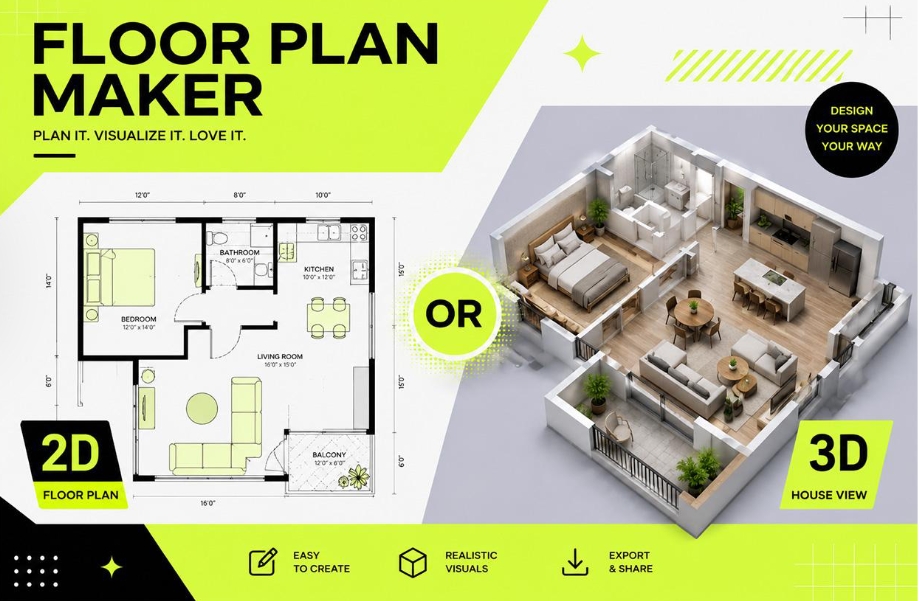
People often ask whether they should generate a 2D plan or a 3D home image. The answer depends less on the software and more on what you’re trying to accomplish.
After using both during my own room planning, I discovered that each serves a very different purpose.
Planning Furniture Before You Buy
Buying furniture online always involves a little uncertainty.
Will the sofa block the walkway?
Can the dining table still leave enough space to move comfortably?
A 2D floor plan answers these questions quickly because it focuses on measurements and positioning. Before ordering expensive furniture, I arranged everything digitally first. It saved me from making costly mistakes.
Visualizing Your Future Home
This is where the 3D house display becomes incredibly valuable.
Instead of imagining how everything might look, you can actually see it.
Walking through a virtual version of your living room—even from different viewing angles—helps you notice things you might completely miss on paper. I changed the position of my television after realizing it looked awkward in the 3D preview, even though it seemed perfectly fine in the 2D layout.
Sharing Ideas with Family Members
Not everyone understands architectural drawings.
When I showed my parents a 2D floor plan, they nodded politely but still had questions about the room arrangement.
The moment I switched to the 3D visualization, everything became obvious.
“Oh, so that’s where the dining table goes.”
“Now I understand how large the kitchen actually feels.”
The conversation immediately became more productive because everyone could picture the same space.
Comparing Multiple Design Options
One unexpected advantage of using AI was how quickly I could compare different layouts.
Instead of committing to a single design, I generated several alternatives with different room arrangements.
Some emphasized larger bedrooms.
Others created a more spacious living area.
Looking at multiple 2D plans helped me evaluate functionality, while comparing the 3D house renderings helped me decide which layout actually felt more comfortable.
That combination made choosing much easier than relying on imagination alone.
Helping Contractors and Interior Designers Communicate
Even if you’re not hiring an architect, chances are you’ll eventually need to explain your ideas to someone else. It could be an interior designer, a carpenter building custom cabinets, or a contractor renovating your kitchen.
I found that handing someone a 2D floor plan answered practical questions immediately. They could understand wall placement, room dimensions, and furniture locations without asking me to sketch everything again. At the same time, the 3D house visualization gave everyone the same picture in mind. Instead of saying, “I think the room might feel crowded,” we could actually look at the rendered space together and discuss what should change.
Using both views reduced misunderstandings and made conversations much more efficient.
Creating Better Real Estate Presentations
If you’re selling or renting a property, presentation matters.
A clean 2D floor plan helps buyers understand the layout at a glance. They can quickly see how rooms connect and whether the home matches their lifestyle.
However, many people struggle to imagine what those simple lines represent. A realistic 3D house visualization fills in that gap by showing depth, furniture placement, natural lighting, and the overall atmosphere of the home.
I noticed that even friends with no design background became much more interested in a property once they saw the 3D version. It transformed an abstract layout into a space they could picture themselves living in.
Why Floor Plan Maker AI Makes Home Planning So Much Easier
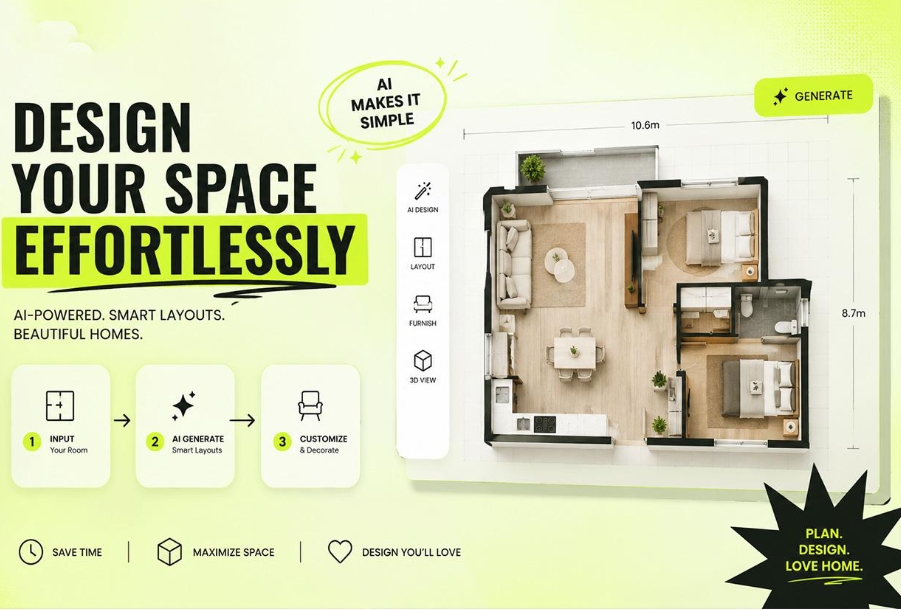
After experimenting with several layouts, I realized the biggest advantage wasn’t just speed—it was confidence. Instead of wondering whether I had made the right decision, I could actually compare options before buying furniture or starting renovations.
A modern floor plan maker AI isn’t only for architects. It’s designed for homeowners, renters, students, real estate agents, and anyone who wants to plan a space without learning complicated software.
Beginner-Friendly from the Very First Click
One reason I kept returning to the tool was how approachable it felt.
There was no confusing interface filled with professional drafting tools. I simply selected the number of rooms, chose a preferred layout model, and clicked Generate.
Within moments, the AI created both a detailed 2D floor plan and a realistic 3D house presentation.
For someone who had never opened AutoCAD or architectural software before, that simplicity was honestly refreshing.
Fast Generation Encourages More Creativity
Traditional floor planning often discourages experimentation because every change takes time.
With AI, trying new ideas becomes effortless.
I found myself creating:
- A larger living room layout
- A version with an open kitchen
- A design that added a home office
- A family-friendly arrangement with more storage
- A minimalist apartment layout
Since every variation only required a few clicks, I felt comfortable exploring ideas instead of settling for the first one.
Sometimes the design I liked most wasn’t my original plan at all—it was the fourth version generated by the AI.
Clear Visuals Build Confidence
One thing surprised me more than anything else.
I expected the AI to produce technical floor plans, but I didn’t expect the 3D house visualizations to feel so realistic.
Seeing furniture arranged naturally inside the rooms made it much easier to judge whether a space felt open, balanced, or crowded.
Instead of relying on imagination, I could make decisions based on something I could actually see.
That visual confidence helped me avoid expensive decorating mistakes.
More Than Just Floor Plans
Although creating 2D and 3D layouts is the core feature, a good floor plan maker AI usually offers much more.
Depending on the platform, you can also:
- Generate multiple layout variations automatically.
- Explore different room styles and furniture arrangements.
- Experiment with modern, Scandinavian, minimalist, or classic interior themes.
- Quickly redesign individual rooms without starting over.
- Create presentation-ready images suitable for renovation planning or real estate marketing.
These additional features make the tool useful long after you’ve finished your first floor plan.
Whether you’re planning a single bedroom or imagining your forever home, AI continues to help as your ideas evolve.
Conclusion: The Best Choice Is Often Using Both
When I first searched for a floor planning tool, I assumed I needed to choose between a traditional 2D floor plan and a beautiful 3D home visualization. After actually using a floor plan maker AI, I realized that wasn’t the right question.
The 2D floor plan gives you structure, accuracy, and practicality. It’s ideal for measuring rooms, arranging furniture, discussing renovations, and communicating with contractors. The 3D house visualization brings those plans to life. It lets you experience the atmosphere of your future home before moving a single piece of furniture, making it much easier to spot design issues and gain confidence in your decisions.
For most homeowners, renters, and first-time planners, using both views together delivers the best results. With a modern floor plan maker AI, creating professional-looking layouts no longer requires architectural knowledge or expensive software. All it takes is selecting the number of rooms, choosing a layout model, and letting AI generate both an accurate 2D floor plan and an immersive 3D house presentation in minutes.
If you’ve been putting off redesigning your home because the process seemed overwhelming, now is a great time to start. Sometimes the hardest part isn’t creating a floor plan—it’s realizing just how simple it has become.