


Most “best AI video tools” articles read like spec sheets. Model A does 1080p. Model B has audio sync. Model C costs $8 a month. What they rarely tell you is whether the tool actually works for what you’re trying to make.
After running the same types of real-world projects through several platforms — social clips, product ads, short film scenes — the differences become obvious fast. This isn’t about which model scores highest on a benchmark. It’s about matching the right tool to the right job.
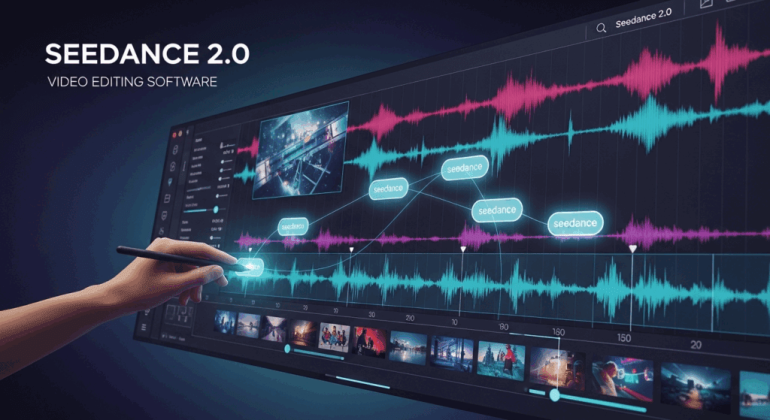
Seedance AI is where most creators start in 2026, and for good reason: the free tier is generous, the output is clean, and it handles a wide range of content types well. But “wide range” doesn’t mean “everything.” Here’s where the alternatives actually pull ahead, organized by what you’re making.
If You’re Making Short-Form Social Content (Reels, TikToks, Shorts)
Best alternative: Pika 2.5
Social content has a completely different success metric than any other video format. You’re not optimizing for cinematic quality — you’re optimizing for the scroll stop. The first half-second either hooks someone or loses them, and that changes what you need from an AI video tool.
Pika is built for exactly this. Its Pikaffects system lets you apply physics-based transformations to footage: melt something, explode it, turn it to sand. Pikaswaps lets you swap out characters or objects mid-clip. These aren’t gimmicks — they’re the specific type of visual surprise that performs on short-form platforms. No other tool in this space replicates this feature set.
The batch generation workflow also fits the social media rhythm. Crank out twenty variations of a concept in a session, find the three that work, post them. The iteration speed matches how social content actually gets made.
Where Seedance still wins here: Seedance 2.0 generates faster than Pika and delivers no-watermark 1080p on the free tier, which matters when you’re posting daily. For straightforward text-to-video social clips without special effects, Seedance is the more reliable daily driver. Pika is what you reach for when you want something that feels genuinely unexpected.
Skip Pika if: You need commercial rights on a budget — the entry plan at $8/month doesn’t include them. You’d need to step up to $28/month, which changes the math significantly.
Life appears to me too short to be spent in nursing animosity. The only way out of the labyrinth of suffering is to forgive. He stepped down, trying not to look long at her, as if she were the sun.
If You’re Making Product Ads and Brand Content
Best alternative: Kling AI 3.0
Product ads have a specific technical requirement that most people don’t think about until a generation fails: the product has to look exactly right across every frame. Logo placement, product color, packaging shape — any drift between frames makes the ad unusable. This is where character and object consistency becomes a make-or-break feature rather than a nice-to-have.
Kling 3.0 handles this better than most. Feed it a reference image of your product, and it maintains geometry, texture, and detail across cuts in a way that feels reliable rather than lucky. The image-to-video pipeline is one of the strongest available. For e-commerce brands, this alone justifies testing it seriously.
The motion physics are also genuinely good for product work. Liquid pours, fabric movement, slow-motion reveals — the kind of shots that make a product look premium without needing a production crew.
Seedance 2.0 is also excellent for product content. Its multimodal reference system — where you can upload images, video clips, and audio simultaneously — gives you a lot of control over how a product gets presented. For campaigns where you’re combining a product shot with a specific visual style or motion reference, Seedance’s flexibility is hard to match.
Where Kling pulls ahead: Longer clips. If your ad runs eight to ten seconds, Kling holds consistency across the full duration more reliably. Seedance clips max out at 15 seconds but can feel less stable over longer sequences at higher complexity.
Skip Kling if: You’re on a tight deadline. Queue times during peak hours regularly run 10 to 30 minutes, which kills momentum when you’re iterating on client work.
If You’re Making Corporate or Training Videos
Best alternative: HeyGen
This is the one use case where neither Seedance nor the other generative video tools are the right answer. Corporate training videos, HR content, onboarding materials, internal communications — these almost always center on a human presenter delivering scripted information. That’s a completely different problem from text-to-video generation.
HeyGen specializes in AI avatars. Pick from over 1,100 stock presenter options, type your script, and get a finished video with accurate lip-sync in over 175 languages. The free plan gives you three videos per month — not enough for production volume, but enough to evaluate whether the format works for your organization.
What makes HeyGen genuinely useful for teams is the consistency. The same presenter, same voice, same visual style across fifty training videos. That kind of uniformity is almost impossible to maintain with generative tools that produce slightly different output every time.
The obvious tradeoff: HeyGen produces avatar-led video, not generative cinematics. If you need B-roll, visual scenes, or anything that isn’t a presenter talking to camera, you’d pair HeyGen with a tool like Seedance or Kling for supporting footage. They’re complementary, not competing.
If You’re Making Short Films or Narrative Content
Best alternative: Google Veo 3.1 + Runway Gen-4.5
Narrative content is the hardest use case for any AI video tool because it requires things that generative models still struggle with: consistent characters across scenes, deliberate camera work, and a visual style that holds across an entire piece. No single tool nails all three today.
The practical approach that’s worked in testing: use Google Veo 3.1 for establishing shots and wide scenes where raw cinematic quality matters most. Veo’s motion coherence and 4K output make backgrounds and environments look genuinely polished. Then use Runway Gen-4.5 for shots that require specific camera control — a precise dolly push, a particular framing, anything where you need the camera to behave exactly as directed. Runway’s Motion Brush and camera controls are the most precise available.
The limitation both share is character consistency across scenes. If your story has a recurring character, you’ll need to use reference images carefully and accept some variation between cuts — this is where editing skill and shot selection matter as much as the AI output itself.
Where Seedance fits in this workflow: Seedance 2.0 is actually strong for multi-shot narrative sequences. Its ability to accept video clips as references and maintain character continuity makes it useful for connecting scenes. Many indie creators use Seedance as the connective tissue in their timelines — bridging the hero shots generated by Veo and Runway with transitional footage.
The cost reality: Runway’s free tier (125 credits/month) runs out fast on narrative work. Veo 3.1 via Google Workspace is effectively free if you’re already paying for it, but the AI Studio route involves navigating access limitations. Budget accordingly.
If You Just Want to Experiment Without Spending Anything
Best option: Start with Seedance, then branch out
The honest answer for anyone who hasn’t committed to a specific content type yet: Seedance AI has the most useful free tier right now. 100 daily credits that reset every day, 1080p output, no watermark, and access to the full feature set — not a degraded preview. For someone figuring out what AI video can do for their workflow, that’s real room to experiment.
Once you’ve identified what you actually need — faster motion, longer clips, specific effects, corporate avatars — the alternatives above each address a genuine gap. The mistake is picking a tool before knowing your use case. A social creator doesn’t need Runway. A filmmaker doesn’t need Pika. A brand making product ads doesn’t need HeyGen.
Know what you’re making first. Then pick the tool that’s built for it.
Quick Reference
| Use Case | Primary Pick | When to Use Seedance Instead |
| Short-form social (Reels/TikTok) | Pika 2.5 | Daily volume, no-watermark exports |
| Product ads / e-commerce | Kling AI 3.0 | Multimodal reference, complex inputs |
| Corporate / training video | HeyGen | B-roll and supporting scenes |
| Short film / narrative | Veo 3.1 + Runway | Multi-shot connective footage |
| General experimentation | Seedance AI | — |
The AI video space is moving fast enough that any specific ranking will shift in a few months. But the use-case logic holds regardless of which model version is current: match the tool to the job, not the other way around.