



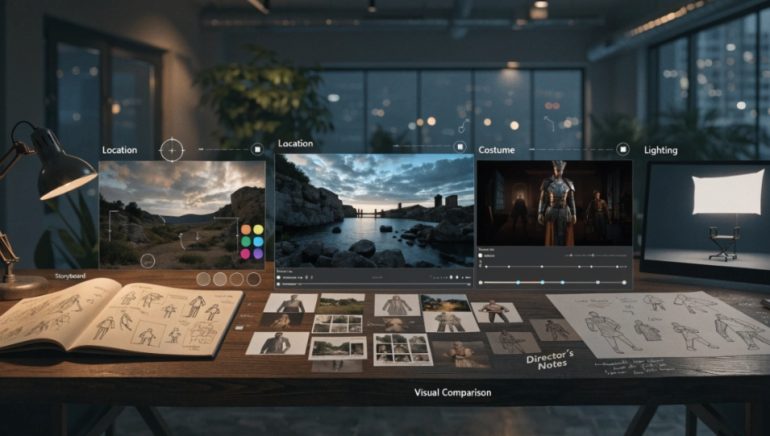
Long before a single frame of footage is shot, filmmakers rely heavily on visual planning tools to communicate ideas, from rough storyboards to detailed concept art. Traditionally, turning a rough sketch or reference photo into a polished visual concept required either strong illustration skills or the budget to hire a concept artist. A growing number of AI based editing tools have started to change that, giving filmmakers at every budget level a faster way to develop and refine visual ideas during pre production. This article looks at where these tools fit into a filmmaking workflow and what they can realistically contribute.
Why Visual Planning Matters So Much in Film Production
Pre production is largely a communication exercise. Directors need to convey a scene’s mood to cinematographers, production designers need to align sets with a director’s vision, and storyboard artists need to translate a script into a visual sequence that the whole crew can reference during filming. Miscommunication at this stage tends to become expensive later, since changes on set or in post production cost far more time and money than adjustments made on paper or on screen during planning.
This is why so much of pre production revolves around visual references: mood boards, storyboards, lookbooks, and rough concept sketches. The clearer and more accurate these references are, the smoother the actual production tends to go.
Where a Free AI Image Editor Fits Into Pre Production
Free AI Image Editor offers filmmakers a way to quickly refine reference images, adjust visual style, or generate variations of a concept without needing advanced illustration skills or dedicated design software. This fits naturally into several specific pre production tasks.
Mood board refinement. Reference photos pulled from different sources often have inconsistent lighting, color tone, or style. AI based editing can quickly adjust these images toward a more unified visual direction, helping a mood board communicate a coherent feeling rather than a scattered collection of mismatched references.
Storyboard cleanup. Rough storyboard sketches, whether hand drawn or digitally sketched, can be cleaned up, stylized, or adjusted quickly, making them easier to read and share with a wider production team.
Location and set visualization. Photos of a potential filming location can be adjusted to preview lighting conditions, time of day, or minor set modifications before committing to a location or building decision.
Costume and character concept exploration. Reference photos of costumes, props, or character looks can be quickly varied in color, style, or setting, helping a director or costume designer compare options side by side.
A Typical Pre Production Workflow Using AI Assisted Editing
Step one: gather references. Location photos, costume references, lighting examples, and other visual materials are collected from scouting trips, prior productions, or general research.
Step two: initial review. The team identifies which references are strong as is and which need adjustment to better match the intended visual direction of the project.
Step three: refine and adjust. Selected images are edited using AI assisted tools to correct lighting, adjust color tone, remove distracting elements, or generate stylistic variations for comparison.
Step four: compile into planning materials. Refined images are organized into mood boards, storyboards, or lookbooks that can be shared with the broader crew.
Step five: review and iterate. Feedback from directors, cinematographers, or department heads often leads to further rounds of adjustment before materials are finalized for use during production.
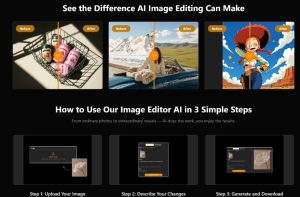
Using a tool such as Free AI Image Editor primarily accelerates steps three and four, reducing what could otherwise be a lengthy manual editing process into something that can be turned around quickly during active pre production discussions.
What These Tools Handle Well
AI based editing tools tend to perform reliably on a number of tasks relevant to film pre production. Adjusting overall color tone and lighting mood across a set of reference images works well for building a cohesive visual direction. Removing small distracting elements from location photos, such as modern signage or parked vehicles that would break period accuracy, is typically handled effectively for isolated objects. Generating quick stylistic variations of a single reference image gives a team multiple options to compare without needing to source entirely new photos for each variation.
Where Limitations Still Show Up
A few situations still tend to require more traditional concept art skills or manual editing. Highly specific character or creature designs that do not closely resemble existing reference material are harder for automated tools to generate accurately compared to a skilled concept artist working from a detailed brief. Complex scenes with many interacting elements, such as a crowded set with multiple characters and props, can be harder to edit cleanly without introducing visible artifacts. Precise continuity requirements, where an exact visual match to a previous shot or reference is critical, often still benefit from manual review and adjustment rather than relying entirely on automated results.
Budget Considerations for Independent and Student Filmmakers
Independent filmmakers and film students frequently operate with minimal or no budget for concept art and visual development. A Free AI Image Editor lowers the barrier to producing professional looking pre production materials considerably, allowing a small team or solo filmmaker to develop mood boards, refine storyboards, and explore visual concepts without needing to hire outside help for early stage planning work.
Free tiers on these platforms typically come with limitations such as a capped number of edits, lower output resolution, or restrictions on commercial use, so productions moving into wider distribution or commercial release should review the specific terms of whichever tool they use as the project scales up.
Final Thoughts
Visual planning has always been central to film production, and the tools available for that planning continue to evolve. A free AI image editor for film gives filmmakers, particularly those working with limited budgets, a practical way to refine references, unify visual direction, and explore concept variations without requiring advanced illustration skills. While it does not replace dedicated concept artists for highly specific or complex visual development, it fills a genuinely useful role in the everyday work of turning a script’s ideas into shared visual references the whole production team can work from.