



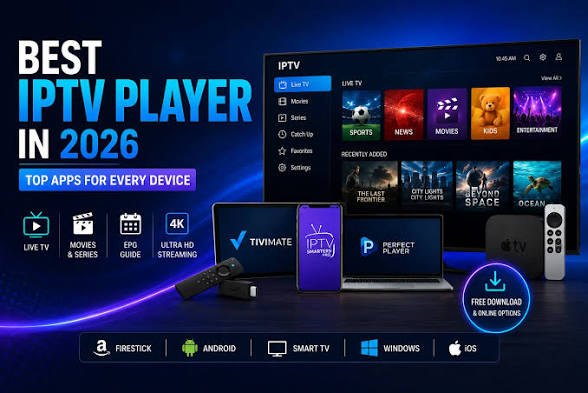
Choosing an IPTV application is just as important as selecting the service itself. The right player can improve navigation, channel loading, video quality, subtitle support, and overall stability.
However, not every application works equally well on every device. A player designed for Android TV may offer a very different experience from one built for Samsung Smart TV, LG Smart TV, Fire TV Stick, smartphones, or computers.
This guide explains how to compare IPTV applications, identify the features that matter, and choose a player that matches your device and viewing habits.
Quick Answer: What Makes a Good IPTV App?
A good IPTV application should be stable, easy to navigate, compatible with the device, and capable of handling the formats provided by the service.
The most useful features include:
- support for M3U playlists or Xtream Codes;
- an electronic programme guide;
- favourites and category management;
- internal and external video players;
- subtitle and audio-track selection;
- parental controls;
- search functionality;
- automatic playlist updates;
- multi-screen support;
- reliable hardware decoding.
The best application is not necessarily the one with the longest feature list. It is the one that works smoothly on the device you use most often.
Check Device Compatibility First
Before installing an application, identify the operating system used by the television or streaming device.
Common platforms include:
- Samsung Tizen;
- LG webOS;
- Android TV;
- Google TV;
- Amazon Fire TV;
- Apple TV;
- Windows;
- macOS;
- Android smartphones and tablets;
- iPhone and iPad.
An application available on Android TV may not exist on Samsung or LG televisions. Even when the same app name appears on several platforms, the features may differ.
Users selecting an IPTV Abonnement should therefore check both service compatibility and application availability before completing the setup.
IPTV Apps for Samsung Smart TV
Samsung televisions generally use the Tizen operating system.
Applications must normally be installed through the Samsung app store. This means users are limited to the IPTV players approved and available for their television model and region.
When comparing Samsung IPTV apps, check:
- whether the app supports your playlist format;
- whether an EPG can be added;
- whether favourites can be created;
- whether the app receives regular updates;
- whether the interface remains responsive;
- whether the app supports subtitles and multiple audio tracks.
Older Samsung televisions may no longer support newer applications. In that situation, using a Fire TV Stick, Android TV box, or another external streaming device may offer a better long-term solution.
IPTV Apps for LG Smart TV
LG televisions use the webOS platform.
As with Samsung, applications are usually installed from the official LG Content Store. Availability may depend on the television model, web version, and country settings.
A suitable LG IPTV player should provide:
- simple playlist import;
- responsive category navigation;
- EPG compatibility;
- support for HD and 4K streams;
- a reliable video player;
- favourites and search tools;
- clear error messages. 7k
Before paying for an app licence, confirm that it supports the login method supplied by the IPTV provider.
IPTV Apps for Android TV and Google TV
Android TV and Google TV devices generally provide the widest selection of IPTV applications.
They are used on:
- Sony televisions;
- Philips televisions;
- TCL televisions;
- Xiaomi TV devices;
- Chromecast with Google TV;
- Nvidia Shield;
- Android TV boxes.
The Google Play Store offers many players with different interfaces and features.
Android TV applications may support:
- M3U playlists;
- Xtream Codes login;
- multiple playlists;
- catch-up features;
- external video players;
- recording options;
- picture-in-picture;
- multi-screen viewing;
- hardware and software decoding.
The performance of the app also depends on the power of the device. A basic Android box with limited memory may struggle with large playlists, advanced interfaces, or high-resolution streams.
IPTV Apps for Fire TV Stick
The Amazon Fire TV Stick is popular because it can add streaming applications to almost any television with an HDMI port.
When choosing an IPTV player for Fire TV, look for an interface designed for remote-control navigation.
Applications created mainly for touchscreens can be difficult to use on a television
Useful Fire TV features include:
- large, readable menus;
- quick channel switching;
- remote-friendly search;
- automatic playlist refresh;
- adjustable buffer settings;
- external player support;
- hardware acceleration
Storage can be limited on some Fire TV models. Removing unused apps and clearing temporary files can help maintain performance.
Free IPTV Apps vs Paid IPTV Apps
Free applications may be sufficient for basic viewing, especially when the user only needs to load one playlist.
However, free versions may include:
- advertisements;
- limited playlist support;
- fewer customisation options;
- restricted EPG features;
- no multi-screen mode;
- fewer updates;
- limited customer support.
Paid applications may provide a cleaner interface, better playlist management, advanced EPG tools, parental controls, and improved support.
Before paying, check whether the licence is:
- a one-time purchase;
- a monthly subscription;
- tied to one device;
- valid across multiple devices;
- transferable to another television.
Some applications charge for the player only. Payment for an IPTV app does not automatically include television channels or a content subscription.
M3U Playlist or Xtream Codes?
IPTV applications commonly use M3U playlists or Xtream Codes credentials.
M3U playlist
An M3U setup usually requires a playlist URL. Some services may also provide a separate EPG address.
M3U is widely supported, but manually managing channels and programme information can sometimes require more configuration.
Xtream Codes
Xtream Codes login normally requires:
- a server address;
- a username;
- a password.
This method can automatically organise live channels, films, series, and programme information when supported by the provider and application.
Neither method is automatically better. The best choice depends on the credentials supplied and the compatibility of the selected player.
Look for a Clear Electronic Programme Guide
An electronic programme guide, commonly called an EPG, displays current and upcoming programmes.
A well-designed EPG makes it easier to:
- see what is currently playing;
- check upcoming shows;
- browse channels by time;
- identify programme titles;
- plan viewing;
- access catch-up content when available.
When testing an app, check how quickly the guide loads and whether the programme information remains correctly aligned with the channels.
An EPG that loads slowly or displays incorrect times can make the application difficult to use, even when video playback is stable.
Test the Search and Favourites Features
Large playlists can contain hundreds or thousands of entries. Without search tools, finding a specific channel or programme can become frustrating.
A practical IPTV app should allow users to:
- search by channel name;
- filter categories;
- create favourites;
- hide unwanted groups;
- reorder sections;
- remember recently watched channels.
These features are particularly helpful for households with several users.
A simple favourites list can make the interface much easier to navigate on a Smart TV.
Check Video Player Options
The video player has a direct impact on compatibility and stability.
Some apps include only one internal player. Others allow users to choose between:
- an internal player;
- an external player;
- hardware decoding;
- software decoding;
- different playback engines.
A stream that freezes in one player may work correctly in another.
Users experiencing black screens, missing audio, or repeated buffering should test an alternative player before replacing the entire application.
Hardware Decoding vs Software Decoding
Hardware decoding uses the device’s built-in video-processing components.
It usually provides:
- smoother playback;
- lower processor usage;
- better battery efficiency on mobile devices;
- improved performance for HD and 4K content.
Software decoding relies more heavily on the main processor. It may help when the device’s hardware decoder is incompatible with a particular stream.
Modern Smart TVs, Android TV devices, and Fire TV Sticks generally perform best with hardware decoding enabled. However, testing both options can help resolve unusual playback issues.
Consider EPG, Subtitles, and Audio Support
Viewers who watch international content should check whether the app supports multiple audio tracks and subtitles.
Important options include:
- subtitle activation;
- subtitle synchronisation;
- font-size adjustment;
- audio-language selection;
- automatic subtitle loading;
- support for embedded and external subtitles.
These features vary significantly between applications.
Users looking for device-specific instructions and setup recommendations can consult the guides available through IPTV France, including information for Smart TVs, Android TV, Fire TV Stick, and internet boxes.
Check Parental Control Options
Parental controls are useful in households where children use the same television.
A suitable app may allow users to:
- protect categories with a PIN;
- hide selected groups;
- restrict adult content;
- lock application settings;
- prevent playlist editing.
The PIN should be stored securely and should not be shared with children.
Parental controls inside the app should be combined with the controls available on the Smart TV, streaming device, or router.
Avoid Installing Unknown Applications
Applications should be downloaded from trusted app stores or the official developer source.
Unknown installation files may introduce:
- malware;
- intrusive advertisements;
- data collection;
- unstable performance;
- fake login pages;
- unauthorised access to the device.
Before installing an app, review:
- the developer name;
- recent user feedback;
- requested permissions;
- update history;
- official support information.
An IPTV player should not request access to unrelated information without a clear reason.
Compare Performance, Not Just Features
An app may offer many advanced tools but still perform poorly on older hardware.
When comparing players, test:
- startup time;
- playlist-loading speed;
- channel-switching speed;
- EPG responsiveness;
- search performance;
- memory usage;
- stability after long viewing sessions.
A simpler application that runs smoothly may provide a better experience than a feature-heavy player that frequently freezes.
Test the App Before Paying
When possible, use a free trial or limited version before purchasing a licence.
Test the application during normal viewing conditions:
- Load the playlist.
- Open several categories.
- Test live channels.
- Check films and series if available.
- Open the EPG.
- Create favourites.
- Test subtitles and audio tracks.
- Leave the app running for an extended period.
- Restart the device and confirm that the playlist remains saved.
This process helps reveal compatibility issues before payment.
Use One Main App and One Backup App
Keeping a second compatible player can be useful for troubleshooting.
When a stream fails in the main application, testing it in another player helps identify whether the issue comes from:
- the stream;
- the application;
- the player engine;
- the device;
- the network connection.
There is usually no need to install many IPTV apps. One primary player and one backup are sufficient for most users.
Frequently Asked QuestionsWhat is the best IPTV app for Smart TV
The best app depends on the television brand, operating system, playlist format, and required features.
Look for a stable app with EPG support, favourites, search, and compatible video decoding.
Can I use the same IPTV app on every device?
Not always. Samsung, LG, Android TV, Fire TV, Apple TV, and mobile platforms have different app stores and operating systems.
Do IPTV apps include channels?
Usually, no. An IPTV application is generally a player. The user must add compatible login details or a playlist from a separate service.
Is a paid IPTV app better than a free app?
A paid app may offer fewer advertisements, more features, better playlist management, and stronger support. However, performance still depends on the device and application quality.
Why does my IPTV app work on my phone but not my television?
The television may use a different app version, have weaker Wi-Fi, offer less memory, or use an incompatible video decoder.
Can I change IPTV apps without changing my subscription?
In many cases, yes. When the service provides standard M3U or Xtream Codes credentials, the same details may work in several compatible players.
Should I enable hardware acceleration?
Hardware acceleration is generally recommended on modern devices. It can improve performance and reduce processor usage. Disable it temporarily if you experience black screens or decoding errors.
Is it safe to install IPTV apps from unknown websites?
Installing apps from unknown sources carries security risks. Use trusted app stores and official developer websites whenever possible.
IPTV App Selection Checklist
Before choosing an IPTV application, confirm that it offers:
- compatibility with the device;
- support for the supplied login format;
- reliable video playback;
- EPG integration;
- search and favourites;
- subtitle and audio options;
- parental controls;
- regular updates;
- acceptable loading speed;
- clear pricing and licensing terms.
Conclusion
The best IPTV application is the one that combines device compatibility, stable playback, simple navigation, and the features the household actually needs.
Start by identifying the operating system, confirming playlist compatibility, and testing the application before purchasing a licence. Pay attention to video decoding, EPG performance, remote-control navigation, storage requirements, and update frequency.
A suitable app, a stable internet connection, and compatible hardware can significantly improve the viewing experience.
Always use IPTV applications and services in accordance with their terms, applicable content rights, and local laws.