



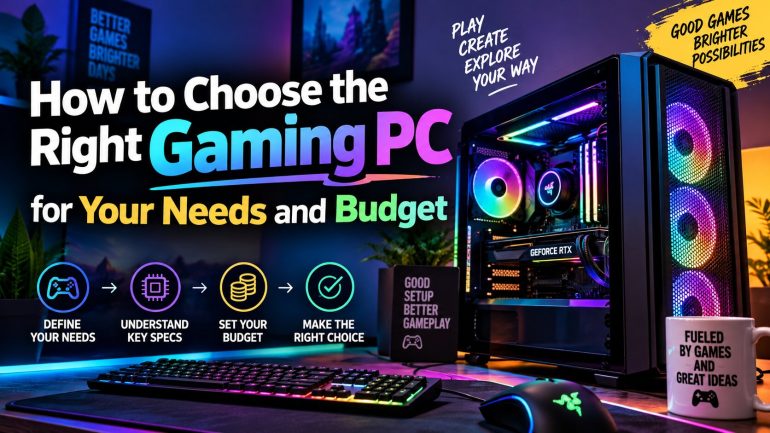
The right gaming PC matches its components, budget, and the games played, built around a strong GPU, CPU and RAM. Balance those parts sensibly, leave room to upgrade, and choosing the perfect gaming PC becomes a simple decision indeed.
The PC gaming market is growing fast, and it’s not slowing down anytime soon. Newzoo’s 2025 industry report puts global PC gaming revenue at $43.6 billion, a 12% rise on the year before. That growth keeps pulling new buyers into the market every month. More players, naturally, means more confusion at checkout. Shoppers scroll through PC Components lists full of jargon, and most of it means little without context.
Retailers stack spec sheets with numbers that sound impressive but rarely explain themselves. This guide strips that jargon away. By the end, choosing hardware should feel simpler than it does right now.
Set a Realistic Budget Before You Shop for Hardware
Every good build starts with a number, so choose one before browsing anything. Decide what to spend, then work backwards from there.
A tight budget forces smart trade-offs, which usually isn’t a bad thing. A bigger one still needs discipline, or money slips away on parts that don’t matter much for gaming. Sellers often push extras that sound impressive but add little real value. Skip the flashy lighting and oversized cases unless they genuinely matter to the buyer.
Set the budget first, then work out how to split it. Most of the spend should go toward the GPU and CPU. Everything else just supports those two parts.
The table below shows how budget tiers typically map to performance.
| Budget (GBP) | Best For | Typical Setup |
| Under £600 | Esports and older titles | Ryzen 5 CPU, GTX 1650 or RX 6500 XT |
| £600 to £1,000 | 1080p AAA gaming | Ryzen 5 CPU, RTX 4060 |
| £1,000 to £1,800 | 1440p high refresh gaming | Ryzen 7 CPU, RTX 4070 |
| £1,800 and above | 4K gaming and streaming | Ryzen 9 CPU, RTX 4080 or higher |
Match Monitor Resolution to the Graphics Card
A powerful GPU is wasted on a low-resolution screen, plain and simple. Always check monitor specs before buying anything else.
1080p gaming needs less GPU power than 1440p or 4K does. Buying beyond that need just burns cash for no visible gain. A mismatched pairing leaves performance on the table either way. Either the GPU sits idle, or the monitor can’t keep up with it.
Check the Refresh Rate Actually Needed
Competitive shooters benefit from high refresh rates, no question there. Slower, story-driven games don’t need the same frame rates at all.
A 144Hz monitor paired with a weak GPU never hits its potential. Balance both sides of that equation instead. Spending on a fast panel only pays off with hardware to match it. Think about the games played most before locking in a refresh rate target.
The Core Parts That Make Up a Gaming PC
Every gaming PC is built from a handful of critical parts, and each one earns its place. Understanding each one avoids costly mistakes down the line.
Processor: The Brain Behind Every Frame
The CPU handles game logic, AI and physics calculations behind the scenes. A weak processor bottlenecks even the best graphics card. That bottleneck shows up as stutters, even with a strong GPU installed.
Mid-range CPUs like the Ryzen 5 7600 handle most modern titles just fine. Save the top-tier chips for heavy multitasking or streaming setups. Gamers running background apps or Discord calls will notice the extra cores.
Graphics Card: Where the Frames Actually Come From
The GPU is the single biggest factor in gaming performance, hands down. It renders every frame shown on screen. Newer cards also handle upscaling tools that boost frame rates without hurting visuals much.
Prioritise the GPU when working within a fixed budget. It matters more than almost any other single part. A mid-range GPU paired with a solid CPU usually beats an unbalanced high-end build.
Memory and Storage: Don’t Cut Corners Here
16GB of RAM is now the practical minimum for gaming. Some newer titles push past that figure quite comfortably. 32GB gives extra headroom for streaming or heavy multitasking too.
An SSD, not a mechanical hard drive, cuts load times dramatically. Every modern build should include one, no exceptions. NVMe drives load levels and textures noticeably faster than older SATA models. A 1TB drive covers most game libraries without constant deleting.
Motherboard and Power Supply: The Quiet Workhorses
The motherboard decides which CPUs and RAM types fit the build, so check that first. It also determines how many drives and expansion cards fit later on.
A reliable power supply protects every other component in the build. Cheap units risk damaging expensive hardware during a fault. Look for solid efficiency ratings and a trusted brand name instead. A slightly higher spend here protects everything else.
Cooling: Keep Temperatures Under Control
Overheating throttles performance and shortens component lifespan over time. Stock coolers work fine for budget builds, but tighter cases need more airflow. Higher-end CPUs often need an aftermarket cooler just to stay stable.
Good case fans and tidy cable management keep air moving freely. Small details like this genuinely add up over time. A well-ventilated case runs quieter and lasts longer under heavy gaming sessions.
Think About Upgrades Before Buying the Full Build
A good build leaves room to grow, which pays off later. Cheap motherboards and cases often block future upgrades entirely.
Buying a slightly larger case now avoids a costly swap later on. The same logic applies to power supply wattage. A unit with spare capacity supports a stronger GPU down the line.
Future-proofing doesn’t mean overspending today. It simply means avoiding parts that trap the build in place.
Matching Specs to How Different Gamers Actually Play
Not every gamer needs the same gaming PC, and that’s worth remembering. Match hardware to actual habits, not marketing hype. Buying for an imagined future rarely pays off as well as buying for today’s habits.
- Casual and esports players: Mid-range CPU, entry GPU, 16GB RAM handles most titles smoothly.
- AAA single-player fans: A stronger GPU and CPU combo for demanding open-world games.
- Streamers and creators: Extra CPU cores and RAM for encoding while gaming.
- VR enthusiasts: A high-end GPU and fast RAM to avoid dropped frames.
Common Mistakes Gamers Make When Picking Parts
Even careful shoppers slip up sometimes. These mistakes cost money and performance later.
- Spending everything on the GPU while ignoring RAM or storage speed.
- Buying a high refresh monitor without the graphics power to match it.
- Choosing a case with poor airflow, causing thermal throttling under load.
- Ignoring future upgrade paths, forcing a full rebuild sooner than expected.
- Overlooking power supply wattage and quality to save a small amount upfront.
Avoiding these errors keeps a build balanced and future-proof. A balanced build ages better and tends to hold its resale value too.
Choose the Right Gaming PC for Your Budget!
Choosing a gaming PC doesn’t need to involve guesswork. Set a budget, prioritise the GPU, and match specs to the games actually played.
Balance, not brute force, delivers the best gaming experience for the money. A well-matched build often outperforms a pricier, lopsided one in real gameplay.
Veno Scorp lists prebuilt and custom gaming builds sorted by budget and by game. Visit their website and compare PC Components side by side before deciding, and buy with confidence rather than guesswork.