



Introduction
Business laptops have evolved significantly over the past few years. Today’s professionals expect more than just decent processing power—they need a device that can support hybrid work, protect sensitive data, offer reliable performance, and remain dependable throughout years of daily use. Whether you’re managing projects, attending virtual meetings, writing reports, or working with cloud-based applications, your laptop has become the center of your professional workflow.
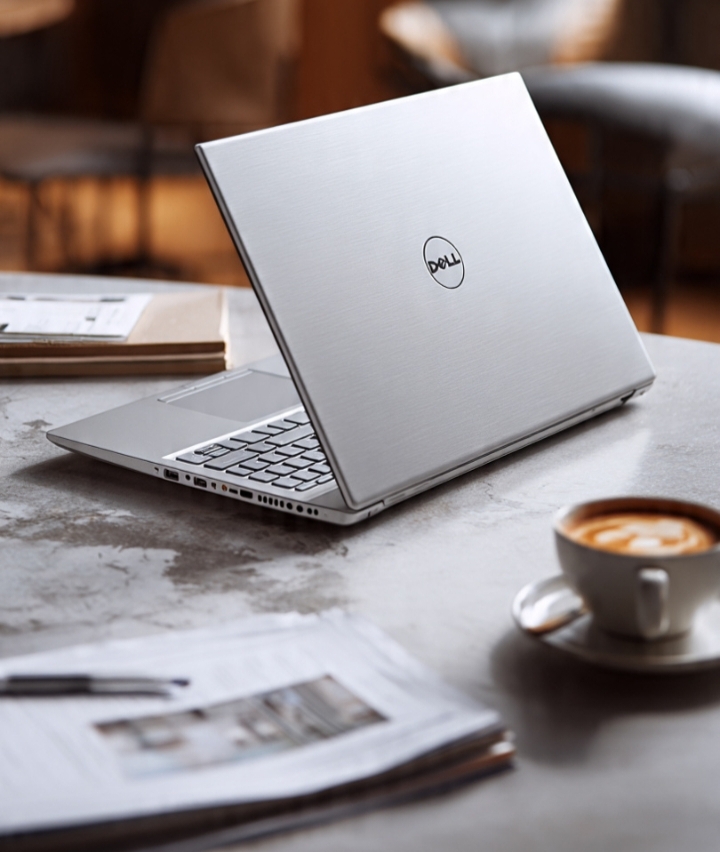
The Dell Latitude 5540 has been designed with these expectations in mind. As part of Dell’s long-standing Latitude business lineup, it focuses on delivering practical features instead of flashy aesthetics. Rather than targeting gamers or creative professionals with high-end graphics, the Latitude 5540 aims to provide a balanced experience for office workers, business owners, students, IT administrators, and remote employees.
What makes this laptop stand out isn’t a single headline feature. Instead, it’s the combination of thoughtful hardware, enterprise-grade security, dependable build quality, upgrade flexibility, and productivity-focused design. Each element works together to create a laptop that helps users stay efficient throughout demanding workdays.
If you’re planning to purchase a professional laptop or simply want to understand what makes the Dell Latitude 5540 a popular business choice, here’s an in-depth look at the features that matter most.
Modern Intel Performance Built for Productivity
Performance is often the first thing buyers consider, and the Dell Latitude 5540 delivers exactly what most professionals need. Equipped with modern Intel Core processors, the laptop is capable of handling everyday business workloads with ease.
A typical workday rarely involves running just one application. Most users have multiple browser tabs open while simultaneously working with spreadsheets, emails, video conferencing software, cloud storage, document editors, and communication platforms. The Latitude 5540 is built to manage these multitasking environments without frequent slowdowns.
Fast SSD storage plays an equally important role. Applications launch quickly, Windows boots within seconds, and large files open much faster than they would on older hard drives. This responsiveness reduces waiting time throughout the day, allowing users to stay focused on their work instead of watching loading screens.
The laptop also performs well for professionals whose workloads extend beyond standard office software. Developers can comfortably run programming tools and testing environments, accountants can work with complex financial spreadsheets, and project managers can coordinate multiple cloud-based platforms simultaneously.
Rather than delivering short bursts of speed followed by noticeable slowdowns, the Latitude 5540 focuses on maintaining consistent performance during extended work sessions. This reliability is one of the reasons many businesses continue choosing Dell Latitude laptops for their employees.
A Professional Display Designed for Daily Work
A laptop’s display affects productivity more than many buyers realize. Employees often spend eight or more hours each day looking at their screens, making display quality an important consideration.
The Dell Latitude 5540 offers a display that prioritizes clarity and practicality. Text appears sharp enough for reading lengthy documents, browsing websites, reviewing spreadsheets, and editing presentations. The screen provides sufficient workspace for multitasking, allowing users to place multiple windows side by side without constantly switching between applications.
For professionals who regularly participate in video conferences, the display offers a comfortable viewing experience during long meetings. Colors appear natural, making presentations, charts, and business graphics easy to interpret.
Another advantage is the screen’s suitability for productivity-focused applications rather than entertainment alone. Whether you’re reviewing contracts, preparing financial reports, analyzing data, or writing technical documentation, the display is designed to support prolonged use while maintaining readability.
Combined with Windows’ multitasking features, the screen helps users organize their workflow more efficiently, improving overall productivity throughout the workday.
Enterprise-Grade Security Features
Security has become one of the defining characteristics of modern business laptops. With organizations storing confidential customer information, financial records, intellectual property, and internal communications digitally, protecting that data has never been more important.
The Dell Latitude 5540 addresses this challenge with several integrated security technologies.
Many models include a fingerprint reader that enables secure biometric authentication. Instead of entering passwords repeatedly throughout the day, users can log in quickly with a single touch.
Certain configurations also support facial recognition through an infrared camera, providing another convenient authentication option while strengthening overall account protection.
At the hardware level, the Trusted Platform Module (TPM) enhances encryption capabilities and helps secure sensitive information. This becomes particularly valuable for businesses that manage confidential documents or operate within industries that require strict security compliance.
Dell also includes BIOS-level security enhancements that help protect the system before the operating system even begins loading. These features reduce the risk of firmware-level attacks and contribute to stronger overall device protection.
For IT administrators managing multiple devices across an organization, these built-in security capabilities simplify deployment while helping maintain consistent security standards throughout the company.
Rather than treating security as an afterthought, the Latitude 5540 integrates protective technologies into its overall design, making it well suited for today’s evolving cybersecurity landscape.
Comfortable Keyboard and Precision Touchpad
One feature that often goes unnoticed until after purchase is the quality of the keyboard. For professionals who spend hours responding to emails, writing reports, coding, or creating presentations, typing comfort directly affects productivity.
The Dell Latitude 5540 continues Dell’s reputation for producing comfortable business keyboards. The keys offer satisfying travel, consistent spacing, and responsive feedback that make extended typing sessions feel natural.
Whether you’re preparing lengthy business proposals, documenting projects, or communicating with clients throughout the day, the keyboard helps reduce fatigue while maintaining typing accuracy.
The large precision touchpad complements the keyboard by offering smooth navigation and responsive gesture controls. Users can easily switch between applications, scroll through lengthy documents, zoom into spreadsheets, and manage multiple desktops without relying on an external mouse.
These input devices become particularly valuable for professionals who travel frequently or work from different locations where carrying additional accessories isn’t always practical.
Durable Build Quality That Inspires Confidence
Business laptops are expected to handle far more than occasional home use. They travel between offices, conference rooms, client meetings, airports, and home workspaces, often being opened and closed several times throughout the day. The Dell Latitude 5540 is designed with this demanding routine in mind.
Its chassis feels solid and well-assembled, giving users confidence that it can withstand daily professional use. While it remains portable enough to carry comfortably in a backpack or laptop bag, it doesn’t feel fragile or overly flexible. This balance between portability and durability is one of the defining characteristics of Dell’s Latitude lineup.
The hinge mechanism is equally reassuring. It provides a stable display position whether you’re working at a desk, presenting during meetings, or using the laptop in different environments. Over time, these small design details contribute to a better ownership experience because the laptop continues to feel dependable even after extended use.
Another advantage is its understated appearance. Unlike gaming laptops with aggressive styling, the Latitude 5540 features a clean and professional design that fits naturally into corporate offices, educational institutions, government organizations, and client-facing environments.
This practical approach makes it a laptop that professionals can confidently carry into virtually any workplace.
Connectivity That Supports Modern Workflows
Business users rely on numerous peripherals throughout the workday, from external displays and projectors to storage drives, docking stations, printers, and conferencing equipment. The Dell Latitude 5540 is equipped with a practical selection of ports and wireless technologies that simplify these everyday connections.
The inclusion of USB-C ports provides fast data transfer, charging support, and compatibility with modern docking stations. This allows users to connect multiple displays, wired networks, external storage devices, and additional accessories using a single cable, creating a clean and efficient workstation.
Traditional USB ports remain valuable for connecting flash drives, external keyboards, wireless mouse receivers, and other commonly used business accessories. HDMI output allows users to connect directly to monitors or projectors during presentations without needing extra adapters.
Wireless connectivity is equally important. Fast Wi-Fi support ensures stable cloud access, smooth video conferencing, and reliable collaboration through platforms like Microsoft Teams, Zoom, and Google Meet. Bluetooth connectivity enables seamless pairing with wireless headsets, keyboards, speakers, and other peripherals.
For hybrid workers who regularly switch between office and home setups, these connectivity options create a smooth transition between different work environments. Whether you’re building a dual-monitor workstation or joining a conference room presentation, the Latitude 5540 is designed to keep everything connected.
Upgrade Potential That Protects Your Investment
One of the biggest advantages of many business laptops is their ability to grow with changing workloads, and the Dell Latitude 5540 continues this tradition.
As software becomes more demanding over time, users often need additional memory or larger storage capacity. Rather than replacing the entire laptop, many Latitude 5540 configurations allow upgrades that help extend the device’s useful life.
Additional RAM can improve multitasking performance, especially for users working with large spreadsheets, virtual machines, development tools, or numerous browser tabs. Likewise, upgrading to a larger SSD provides more space for business files, applications, and multimedia content while maintaining fast system responsiveness.
This upgrade flexibility is particularly valuable for businesses managing large numbers of laptops. Instead of purchasing new systems every few years, organizations can often upgrade existing hardware, reducing overall technology costs.
Individual professionals also benefit from this approach. Freelancers, consultants, developers, and students can start with a configuration that fits their current budget and expand it later as their requirements evolve.
The Latitude 5540’s service-friendly design contributes to its reputation as a long-term productivity tool rather than a short-lived consumer device.
Battery Life Designed for Busy Professionals
Battery performance has become increasingly important as hybrid work continues to reshape modern workplaces. Employees are no longer tied to a single desk, often moving between offices, meeting rooms, coworking spaces, and home environments throughout the day.
The Dell Latitude 5540 is designed to provide dependable battery efficiency for everyday productivity tasks. Activities such as document editing, web browsing, virtual meetings, email management, and cloud collaboration can be performed comfortably without constantly searching for a power outlet.
Dell’s intelligent power management features help balance performance with energy efficiency, allowing the system to maximize battery life based on the user’s workload. This makes the laptop especially useful during travel or extended meetings where charging opportunities may be limited.
Fast charging support adds another layer of convenience. Even when the battery becomes low, a relatively short charging session can restore enough power to continue working for several more hours. For professionals with packed schedules, this reduces downtime and improves overall productivity.
Reliable battery performance is one of those features users may not think about before purchasing a laptop, but it quickly becomes one of the most appreciated aspects during everyday use.
Final Verdict
The Dell Latitude 5540 isn’t trying to compete with gaming laptops or multimedia-focused notebooks. Instead, it focuses on what matters most to professionals: reliability, efficiency, security, and long-term usability.
Its modern Intel processors provide consistent performance for demanding office workloads, while the business-oriented display offers a comfortable environment for reading, writing, and multitasking. Enterprise-grade security features help protect valuable information, and the durable construction ensures the laptop remains dependable through years of regular use.
Connectivity options make it easy to integrate into both traditional office setups and hybrid work environments, while upgrade flexibility allows the system to adapt as business needs evolve. Combined with dependable battery performance and Dell’s strong business support ecosystem, these qualities make the Latitude 5540 a practical investment for professionals seeking a reliable daily workstation.
Rather than relying on flashy marketing features, the Dell Latitude 5540 succeeds by delivering a balanced experience across every area that matters most in a business laptop. For organizations and individuals alike, that balanced approach is exactly what makes it a compelling choice in 2026.
Frequently Asked Questions
Is the Dell Latitude 5540 suitable for business users?
Yes. It is specifically designed for business environments and offers enterprise-grade security, dependable performance, durable construction, and productivity-focused features that meet professional requirements.
Can the Dell Latitude 5540 handle demanding multitasking?
Yes. With modern Intel Core processors, SSD storage, and support for higher RAM configurations, it can comfortably manage multiple productivity applications, browser tabs, communication tools, and office software simultaneously.
Is the Dell Latitude 5540 upgradeable?
Many configurations allow users to upgrade RAM and SSD storage, helping extend the laptop’s lifespan and improve performance as workload requirements grow.
Does the Dell Latitude 5540 support remote and hybrid work?
Absolutely. Its reliable battery life, fast wireless connectivity, multiple ports, docking station compatibility, and professional design make it an excellent choice for both office and remote work.
Who should consider buying the Dell Latitude 5540?
The Latitude 5540 is an excellent option for business professionals, corporate employees, students, freelancers, developers, consultants, and small business owners who need a dependable laptop focused on productivity, security, and long-term value.