



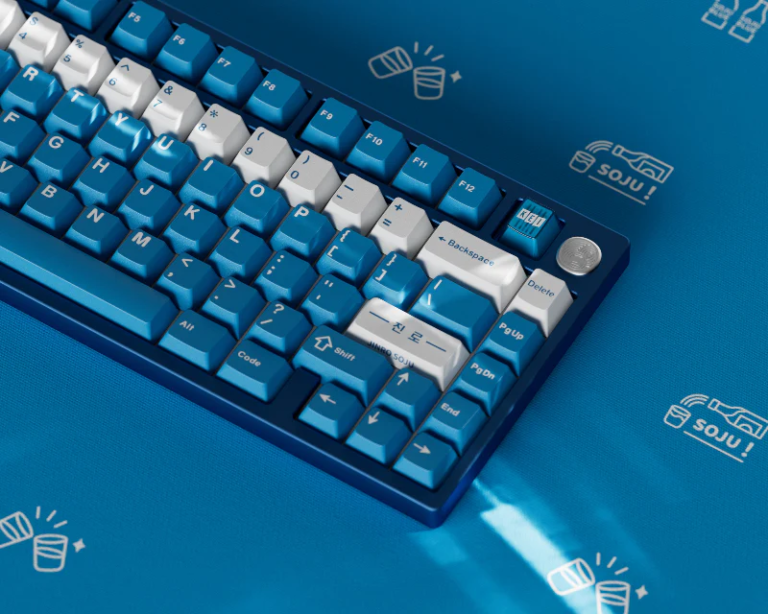
After choosing between PBT and ABS, the next big decision is keycap profile — the shape and height of each individual key. The profile affects how your fingers reach for each row, how the keyboard sounds, and the overall aesthetic.
There are five major profiles in the mechanical keyboard world, and each one changes your typing experience dramatically.
What Is a Keycap Profile?
A keycap profile defines two things:
- Height — How tall the keycap is above the switch
- Sculpting — Whether the shape changes across rows (sculpted) or stays the same (uniform)
Sculpted profiles have different angles depending on the row — the top row (number keys) has a different angle than the spacebar row. This follows the natural curve of your fingers as they reach across the keyboard.
Uniform profiles use the same shape and height for every key, making it easier to swap key positions or use on non-standard layouts like ortholinear keyboards.
OEM Profile
OEM is the default profile on most pre-built mechanical keyboards. It’s what you’re probably typing on right now.
- Height: Tall (approximately 11–12mm)
- Sculpting: Yes — 4 distinct rows with different angles
- Top surface: Cylindrical (curved in one direction)
- Sound: Bright, “clacky” — tall profile creates more resonance
Pros: Familiar feel, widely available, inexpensive
Cons: Tall height requires more finger travel
Best for: Beginners, stock keyboards, budget builds
Cherry Profile
Cherry profile was originally designed by Cherry GmbH for their MX switches. It’s arguably the most popular enthusiast profile in the mechanical keyboard community.
- Height: Medium (approximately 8–9mm) — noticeably lower than OEM
- Sculpting: Yes — curved ergonomic layout
- Top surface: Cylindrical
- Sound: Deeper, more controlled than OEM
The key difference: Cherry profile is about 2–3mm shorter than OEM, which means less finger travel and less wrist extension. Many typists find it more comfortable for long sessions.
Pros: Comfortable for long typing sessions, classic enthusiast choice, excellent feel
Cons: Less common on stock keyboards, compatibility concerns with some south-facing RGB LEDs
Best for: Daily typists, ergonomic builds, enthusiast setups
> Cherry vs OEM: Place an OEM and Cherry keycap side by side. The Cherry cap is noticeably shorter. OEM is essentially a taller version of Cherry with steeper row angles. If you’re switching from OEM to Cherry, expect your fingers to travel less — it feels more “sunk in” to the keyboard.
SA Profile (Spherical All)
SA is the tall, retro-looking profile inspired by vintage computer terminals. It’s instantly recognizable by its domed, spherical tops and imposing height.
- Height: Very tall (approximately 14–16mm) — the tallest common profile
- Sculpting: Yes — aggressive row sculpting
- Top surface: Spherical (dished like a bowl)
- Sound: Deep, “thocky” — the large hollow space below creates resonance
Pros: Distinctive retro look, satisfying deep sound, comfortable once you’re used to the height
Cons: Expensive (usually $100+), tall profile can cause wrist strain without a wrist rest, limited availability
Best for: Showpiece builds, retro enthusiasts, those who prioritize sound and aesthetics
DSA Profile
DSA is the most popular uniform profile. All keys are the same height and shape, regardless of row.
- Height: Low (approximately 7–8mm) — shortest common profile
- Sculpting: No — uniform shape across all rows
- Top surface: Spherical (dished)
- Sound: Medium-pitched, consistent
The uniform height means you can freely rearrange keys without worrying about row angles — perfect for ortholinear, ergonomic, or unconventional layouts.
Pros: Low height = comfortable, keys are interchangeable, works with any layout
Cons: Lack of sculpting may feel flat to some typists
Best for: Ortholinear keyboards (Planck, Preonic), ergonomic splits (ErgoDox), those who want full layout flexibility
XDA Profile
XDA is similar to DSA but taller and with a larger surface area.
- Height: Medium-low (approximately 9–10mm)
- Sculpting: No — uniform
- Top surface: Spherical, wider and flatter than DSA
- Sound: Medium, full
XDA offers the best of both worlds — uniform layout flexibility like DSA, but with a larger typing surface that some find more forgiving.
Pros: Large typing surface, uniform layout, comfortable
Cons: Limited color and design options compared to Cherry/OEM
Best for: Ortholinear builds, large-handed typists, anyone who wants a spacious typing surface
Profile Comparison Chart
| Profile | Height | Sculpted | Surface | Sound | Price Range | Best For |
| OEM | Tall | Yes | Cylindrical | Bright, clacky | $15–40 | Beginners, stock |
| Cherry | Medium | Yes | Cylindrical | Controlled, medium | $30–100 | Typists, daily use |
| SA | Very Tall | Yes | Spherical | Deep, thocky | $80–200 | Aesthetic builds |
| DSA | Low | No (uniform) | Spherical | Medium, consistent | $30–70 | Ortho/ergo layouts |
| XDA | Medium-low | No (uniform) | Spherical, wide | Medium, full | $25–60 | Large hands, ortho |
Less Common Profiles Worth Mentioning
KAT Profile: A newer profile from Keyreative, similar to SA but shorter and with a more pronounced dish. Popular in the enthusiast space for its unique feel.
MDA Profile: Developed by MelGeek, this is a sculpted profile with a wide surface area and medium height. It’s comfortable and gaining popularity.
KAM Profile: Uniform profile from Keyreative, similar to XDA but slightly shorter.
How Profile Affects Sound
Here’s something many beginners don’t realize: profile has a huge impact on sound. A tall SA keycap with a large hollow interior sounds very different from a short DSA cap.
- Taller caps (SA, OEM) → More resonance, louder, brighter
- Shorter caps (Cherry, DSA) → Less resonance, quieter, more controlled
- Thicker walls (PBT in SA/Cherry) → Deeper, thockier
- Thinner walls (ABS in OEM) → Brighter, clackier
My Recommendation
| If You’re… | Try This Profile |
| Brand new to mechanical keyboards | Stick with OEM — it’s what you know |
| Upgrading for comfort | Cherry profile — lower and ergonomic |
| Building a showpiece | SA profile — the look and sound are unmatched |
| Building an ortholinear or split board | DSA or XDA for key interchangeability |
| Not sure | Buy a keycap sample pack first |
*Looking for keycaps in your preferred profile? Browse our keycap collection and PBT keycaps with multiple profile options.*