



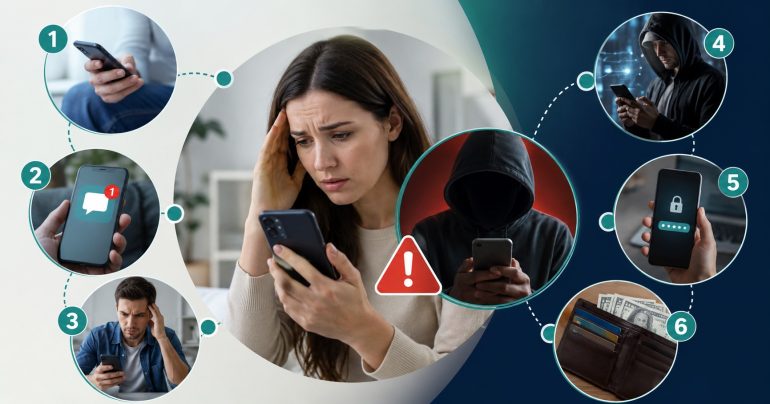
A text arrives with a six-digit code and a short note telling you to confirm your account. It looks like the dozens of legitimate ones you’ve seen before, and that familiarity is exactly the point. Scammers have learned that a link verification code text is one of the easiest things to fake and one of the most useful things to steal. Get you to tap the wrong link or read six numbers aloud, and a criminal can walk straight into your email, your bank, or your social accounts. This article breaks down how those scams work, the signals that give them away, and the habits that make you a frustrating target to attack.
The one rule that defeats almost every version of this scam
Before anything else, memorize this: never give a verification code to another person, no matter who they claim to be or how urgent they sound. The code is meant for you to type in yourself, and no one else. The FTC puts it plainly, that anyone who asks you to share a code is a scammer, full stop. Banks, delivery services, tech-support desks, and government agencies will never call or text asking you to read one back. If you hold that single line, most of the schemes below simply can’t function, because every one of them depends on talking you into breaking it.
A quick refresher on what these texts are
Skip this part if you already know the basics. A verification code text is a short, time-limited number a service sends to your phone to confirm you’re the person behind an action, whether that’s a login, a password change, a new-account signup, or a payment. Some messages swap the code for a tappable link that opens a confirmation page. Together with your password, the code forms a second layer of security, so a stolen password on its own won’t unlock the account. That protection is real, which is exactly why attackers spend so much effort trying to get around it by targeting the weakest part of the system, which is usually the person holding the phone.
How the scams actually work
There isn’t one verification-code scam, there’s a whole family of them. They share a goal, which is to get your code or your login details, but the setups differ. Knowing the shapes they take makes each one easier to catch in the moment.
The “read me the code” account takeover
This is the classic. A scammer already has your username and password, often from a data breach, or they’re midway through a password reset on your account. When the service texts you the code, they need it to finish the job. So they call or message you first, posing as the company’s fraud team, and claim they’re “verifying your identity” or “stopping a suspicious login.” They warn you that a code is about to arrive and ask you to read it back. The moment you do, they type it in and they’re inside. The giveaway is the direction of contact: they reached out to you, and they need something only your phone received.
Smishing, or phishing that comes by text
Smishing is phishing delivered over SMS. The message looks like it’s from a bank, a courier, a streaming service, or a tax authority, and it carries a link. Tap it and you land on a page that’s a careful copy of the real login screen. Anything you type there, including your username, password, and even the code you’re then asked for, flows straight to the attacker. These texts lean on urgency, using lines like “unusual activity detected,” “package undeliverable,” or “account suspended” to push you past your instinct to check. Because the link and page look right, smishing fools people who would never fall for a clumsy email.
The marketplace verification scam
If you sell items on Facebook Marketplace, Craigslist, or similar sites, watch for this one. A “buyer” shows keen interest, then hesitates, saying they’ve been burned by fake listings and want to confirm you’re a real person. They ask you to share a code they’re about to send. What’s really happening is that they’re signing up for a service like Google Voice using your phone number, and the code you’d hand over completes their registration in your name. The FTC has flagged this scheme specifically. The fix is the same rule as always: you never contacted them first, so you never share the code.
SIM swapping, or stealing the number itself
Some attackers skip the trickery and go after your phone number directly. In a SIM swap, a criminal gathers enough personal detail about you, often from breaches or social media, to call your mobile carrier posing as you and request that your number be moved to a new SIM in their possession. Once the swap goes through, every text code meant for you arrives on their device instead. This is a big reason security experts and the FTC recommend moving away from SMS codes for important accounts, since an authenticator app or hardware key isn’t tied to a number a stranger can hijack.
Fake “confirm your account” links
A cousin of smishing, these messages don’t even bother with a code. They simply say your account needs confirmation and provide a link. The page harvests your login details the instant you enter them. Sometimes the link installs malware capable of reading future codes or logging what you type. The safe move never changes: don’t act on links inside unexpected messages. If you’re unsure whether a real problem exists, open the app or type the address yourself and check from there.
The tech-support and refund twist
A common variation dresses the scam up as help. You get a call or a pop-up claiming your computer is infected, your account was overcharged, or a subscription auto-renewed, and a friendly “agent” offers to sort it out for you. At some point they need to “verify your identity” or “process the refund,” and a code arrives on your phone that they ask you to read back. The refund angle is especially sticky because it lowers your guard: you think money is coming to you, not leaving. In reality, reading them the code hands over an account, and the promised refund often turns into a trick to move your own money out. The rule holds no matter how helpful the person on the line sounds.
The parcel and delivery text
You’re expecting a package, and a text says it couldn’t be delivered and you need to confirm details through a link. During busy shopping seasons this one catches a lot of people, because almost everyone has something in transit. The link leads to a fake courier page that asks for personal and payment details, and sometimes a verification code as well. Real delivery companies don’t usually resolve a failed delivery by texting you a login-style link out of the blue. When in doubt, track the parcel through the carrier’s official app or the retailer where you placed the order.
A closer look at how one takeover unfolds
Walking through a single attack from start to finish shows how the pieces fit together. It often begins with a data breach you had nothing to do with, where a site you once used leaks its list of emails and passwords. An attacker buys that list and finds your details inside it. They try your email-and-password combination on your actual email provider, and because you reused that password somewhere, the login sails past the first check. Now the provider texts you a code, the last barrier standing between the attacker and your inbox.
This is the moment the human trick comes in. The attacker calls or texts you, posing as your email provider’s security team, and says they’ve spotted a suspicious login they need your help to block. They tell you a code is about to arrive and ask you to confirm it. If you read it back, they enter it, and your inbox is theirs. From there they can reset passwords on your other accounts, because those reset links land in the very inbox they now control. One reused password and one shared code can unravel an entire digital life. The encouraging part is that the chain breaks the instant you refuse to share the code, and it would never have started if you’d used a unique password in the first place.
Why scammers want your accounts so badly
It’s fair to wonder why anyone would go to this much trouble. The answer is that accounts are valuable in several ways. Your email is a master key, because whoever controls it can reset passwords for banking, shopping, and social apps and quietly receive the confirmation messages. Financial and shopping accounts can be drained or used for fraudulent purchases. Social media accounts get hijacked to scam your friends and family, who are far more likely to trust a message that appears to come from you. Even seemingly boring accounts have resale value on criminal markets. Understanding the payoff makes it clearer why the same tricks keep circulating: they work often enough to be profitable.
How to check whether your information is already exposed
Because most of these attacks start with leaked credentials, it’s useful to know whether yours are already floating around. Reputable breach-notification services let you enter your email address and see which known data breaches included it. Many password managers and modern web browsers now do this automatically, flagging saved passwords that have appeared in leaks or that you’ve reused across sites. If a check turns up an exposed password, change it everywhere you used that same one, starting with your email and any account tied to money. Turning on a breach-monitoring alert means you’ll hear about future leaks quickly, which shortens the window an attacker has to act on them.
The psychology scammers exploit
These scams succeed less through clever technology and more through emotion. They manufacture urgency so you don’t pause, they borrow the authority of a trusted brand or a “fraud department” so you don’t question them, and they build a story that makes sharing a code feel like the responsible thing to do. Some lean on fear, warning that your account is under attack. Others lean on reward, promising a refund or a prize. Recognizing the emotional hook is often easier than analyzing the technical details in the heat of the moment. If a message or call is working hard to make you feel something and then act immediately, that pressure is itself the strongest evidence that something is wrong.
Extra caution for businesses and older relatives
Two groups deserve special attention. Businesses are attractive targets because a single compromised employee account can open the door to customer data, payroll, or company funds, and staff often share devices and processes that attackers can probe. Simple training that teaches everyone never to share a code, combined with stronger authentication on key systems, prevents a large share of incidents. Older adults are targeted heavily too, partly because scammers assume less familiarity with these tricks and partly because they may control significant savings. A short, judgment-free conversation with older relatives, centered on the single rule that no real company ever asks for a code, can spare them a painful loss. It helps to agree on a plan in advance: if anyone ever pressures them about an account, they hang up and call you or the institution directly.
The warning signs, gathered in one place
A few signals show up again and again. Someone contacting you and asking for a code, whether by call, text, or chat, is the single clearest sign of fraud. Pressure and urgency are another, because scams work by rushing you before you think. Be suspicious of codes that arrive when you weren’t doing anything, links that lead to slightly-off web addresses, and messages that combine a code with a threat. Even a caller who already knows your name, address, or part of an account number proves nothing, since that information is cheap and often already leaked. Legitimate messages tend to be boring: a code, the company name, and a line telling you to ignore it if you didn’t ask. Scam messages want a reaction out of you.
What to do if you already shared a code or tapped a link
Mistakes happen, and acting fast limits the damage. If you shared a code, go to the affected account immediately from the official app or website and change the password, then sign out of all sessions to boot the intruder. Turn on the strongest authentication the account offers. If you tapped a link and entered your details, treat that password as compromised everywhere you used it and change it in each place. Watch your bank and card statements closely, and consider a fraud alert or a credit freeze if financial accounts were exposed.
Then contact the real company through a number you trust, taken from a statement or the back of your card, never one supplied in the message. Finally, report the incident to the FTC at ReportFraud.ftc.gov. Reports help investigators spot patterns, and these schemes have become common enough to reach the general news on a regular basis, which means the more people report, the better the odds of shutting them down.
Habits that make you a hard target
You don’t need to be a security specialist to be a poor victim. A handful of routines do most of the work, and once they’re set up they mostly run themselves.
Move key accounts off text codes
Text-message verification is convenient and far better than a password alone, but it’s the weakest of the common second factors because of SIM swapping and interception. For your email, your bank, and anything tied to money, switch to an authenticator app or a hardware security key. Your email is the crown jewel, since password resets for everything else land there, so protect it first.
Give every account its own password
Password reuse is what lets one breach cascade into many. A password manager generates and stores a unique, long password for each account so you don’t have to remember any of them. This alone shuts down credential stuffing, the automated attack that triggers a lot of those “surprise” code texts in the first place.
Add a PIN or lock to your phone number
Most carriers let you set a port-out PIN or account passcode that must be given before your number can be moved. It’s a five-minute call or app setting, and it makes SIM swapping dramatically harder to pull off. Ask your provider how to enable number-transfer protection on your account.
Let urgency be your cue to slow down
Nearly every scam runs on speed. The instant a message or caller insists you must act right now, treat that pressure itself as the warning sign. Hang up, put the phone down, and verify through a channel you chose. Real institutions are perfectly fine with you calling them back on a number you trust.
When the code is actually legitimate
It’s worth saying clearly so you don’t start treating every code as an attack. Most codes you receive are real and harmless. You logged in, reset a password, or made a payment, and the system is simply doing its job. A message from a checkout service like Stripe’s Link, confirming a purchase you’re actively making, is normal. The distinction that matters isn’t whether a code arrived, it’s whether you started the action and whether you’re entering the code somewhere you navigated to yourself. Keep those two checks in mind and you can use verification codes the way they were intended, as a genuine layer of safety, without living in fear of them.
Reporting helps more than you might think
It’s easy to assume that reporting a scam text is pointless, but it genuinely adds up. When many people flag the same fraudulent number or fake web address, carriers and platforms can block them faster, and investigators can connect incidents that look isolated on their own. In the United States you can forward suspicious texts to 7726, which spells SPAM, so your carrier can look into them, and you can file details with the FTC at ReportFraud.ftc.gov. If money changed hands, tell your bank immediately, because quick action sometimes allows a transfer to be stopped or reversed. Reporting won’t always feel satisfying in the moment, but it’s part of how these operations eventually get shut down, and it costs you only a minute of your time. The more the same scam gets reported, the shorter its useful life becomes.
A simple response plan you can remember
When anything code-related feels off, a short mental checklist keeps you steady. Did I start this? If not, be suspicious. Is anyone asking me to share or confirm a code? If so, it’s a scam, every time. Am I being rushed? Then slow down on purpose. Do I need to check an account? Open it myself through the official app, never through a link in a message. Should I change a password? If there’s any doubt at all, yes, and switch on stronger authentication while you’re in there. Five quick questions cover nearly every situation you’ll meet, and none of them require technical skill, just the discipline to pause for a moment.
Scammers keep refining their scripts, but the machinery underneath rarely changes. They need you to share a code or type your details into their page. Deny them that, and their whole approach collapses. Guard your codes like passwords, reach your accounts through the front door, and lean on authenticator apps and carrier protections for anything that matters. For more plain-spoken security guides and everyday tools, Toolsimpli is a handy place to keep learning.