



Disclosure: Prepared on behalf of the retailer mentioned in this article.
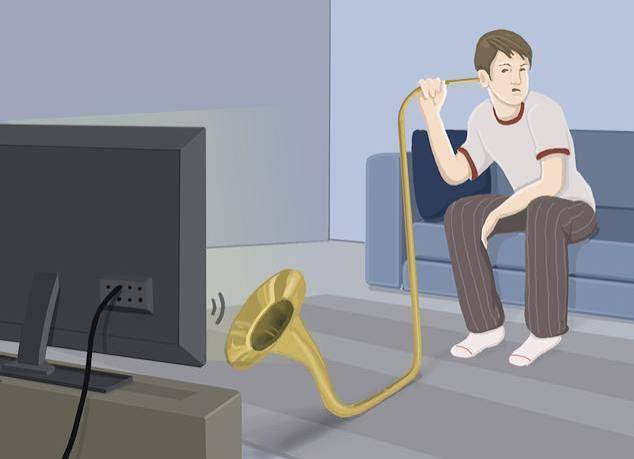
Imagine an action-film night where the chase shakes the room but the conversation explaining it is barely audible. You keep reaching for the remote: up for the dialogue, down for the engines. This is a hypothetical viewing problem, not evidence that your subscription needs an upgrade.
Before buying access again, separate what you hear from what the purchase actually supplies. Identify the film, audio track, playback device and speaker setup, then test one relevant change. Another subscription should address a verified missing feature, not a guess about why the voices sound quiet.
Describe the symptom before changing settings
Describe the problem precisely. Is the entire soundtrack quiet, or only the dialogue? Are the voices missing, distorted, delayed or in the wrong language? Those descriptions call for different checks; treating them all as a bad soundtrack makes it harder to choose the right instructions.
Write down which description fits. Record the film, timestamp, selected audio track, app, playback device and speakers. Include the connection route: a television’s own app is not the same setup as a streaming box connected through an external sound system.
Choose one short scene as the comparison point and listen at a comfortable level. Replay the same passage after each permitted adjustment rather than moving to a different action sequence. You need a result you can describe and repeat, not the loudest possible demonstration.
Use the instructions for the actual device
Netflix has a specific guide for quiet voices with otherwise normal background sound. Its Apple TV 4 and Apple TV 4K instructions recommend trying Dolby Digital 5.1 through the device’s Audio Format settings, then Stereo if that does not solve the problem. For other devices, the same page directs viewers to support.
Follow that sequence only when it matches the device you are using. It is not a general instruction for every smart television or soundbar. Note the original setting, make the documented change and replay the test scene before deciding whether it helped.
Check which device you are adjusting. The audio menu inside a streaming app, the television’s speaker settings and a receiver’s settings are not interchangeable places to experiment. When the expected menu is absent, consult the relevant manufacturer’s instructions instead of selecting the nearest-sounding option.
When everything is quiet, test a different problem
If both dialogue and effects are too soft, use guidance for overall volume rather than assuming the film has a dialogue-only fault. Netflix’s low-volume troubleshooting page includes different routes for different devices. For devices connected directly to a television, its general guidance suggests trying Stereo when 5.1 is selected; other sections address external speakers and hardware connections.
Use the branch that describes your equipment. A helpful response to a soundbar problem is not necessarily the right response to a tablet or an assistive listening device. Do not copy a menu sequence simply because someone else used the same streaming service.
Change one setting at a time and keep the original value so an unhelpful adjustment can be reversed. Start with the relevant documented checks rather than a factory reset. When the instructions do not clearly match your equipment, ask support before removing apps or saved settings.
Compare results without overstating what they prove
Consider a fictional test. A viewer has permitted access to a film and equipment that allows switching between a soundbar and the television’s speakers. On the same scene, speech is easier to understand through the television speakers. These are invented observations, not results from a tested product.
The result makes the external audio route worth investigating. It does not prove that the soundbar is broken, that the film’s mix is faulty or that a particular brand is better. The next useful step is to check that route’s settings and compatibility with the manufacturer’s support team.
Now change the hypothetical result: the dialogue remains difficult through both outputs, but another film is clear. The original title and audio track become useful details to report to the streaming provider. Again, a comparison narrows the question; it is not a complete diagnosis.
Avoid switching the film, app, speakers and volume setting simultaneously. Even an improvement would leave you unable to explain which change mattered or reproduce it reliably next time.
Know what another purchase would change
A replacement subscription should solve a defined access requirement. Establish whether the film, selected soundtrack, playback device and audio equipment support the feature you need together. A higher picture-resolution label does not, by itself, answer a question about dialogue clarity.
For readers comparing Arabic-language offers, Avndi’s Netflix subscription page describes a one-month shared-access product for one device. That wording concerns access, not a promise of clearer dialogue or a particular audio format. Verify the permitted setup and required features instead of assuming that buying this or any other subscription will fix a sound problem.
Clarify who may make account-level changes; shared access does not give you independent control of the subscription. Check activation, access dates, regional and household eligibility, renewal and the seller’s support or refund terms. Keep those purchase conditions separate from a manufacturer’s instructions for the television or speakers.
Give support a reproducible example
A useful support message describes the exact symptom and one controlled comparison. For example, this hypothetical report gives more direction than “Netflix audio is terrible”: “On this film and timestamp, speech is quiet but effects sound normal. I used this audio track, this playback device and this speaker connection. Changing only the output produced the following result.”
Add the actual device model, software version and test result requested by support. Keep passwords, activation codes and payment details out of screenshots. Note each recommended adjustment and what happened, so the next conversation starts with evidence rather than another round of guesswork.
For tonight, use a supported setup that lets you follow the dialogue comfortably, with captions where available and helpful. Consider a different purchase only after identifying what it would add. The useful outcome is understandable speech, not a second receipt for the same unresolved problem.