



Streaming is convenient until you lose signal. On a train, a flight, or just in a basement gym, your favorite videos vanish with poor internet. That’s why millions of Android users still trust VidMate APK. It lets you download videos and music directly to your phone for true offline enjoyment.
What Is VidMate APK
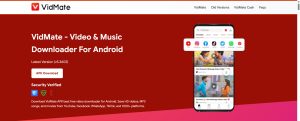
VidMate is a free Android application designed to save online videos to your device. But calling it just a downloader misses the full picture. The app includes a built-in browser, so you can navigate YouTube, Facebook, TikTok, Instagram, and hundreds of other sites without leaving VidMate.
It also has an integrated media player that supports MP4, AVI, MKV, FLV, and many more formats. You won’t need a separate video player. Additionally, VidMate offers an MP3 converter that extracts audio from any video file. You can save your favorite song from a music video in seconds.
Why Isn’t VidMate on Google Play?
This is the most common question. Google Play strictly prohibits apps that download content from YouTube because it violates YouTube’s terms of service. VidMate does exactly that, so Google removed it years ago. The app now lives exclusively as an APK file.
That doesn’t automatically make VidMate dangerous. Many legitimate apps are distributed via APK. However, it does mean you must be careful about where you get the file. The absence from Play Store is a policy issue, not necessarily a safety indictment.
Is VidMate APK Safe?
The official, unmodified version of VidMate is generally safe. Independent antivirus scans over the years have found no trojans or spyware in the original release. Some security tools label it as “PUP” (potentially unwanted program) because it can download copyrighted content—not because it contains a virus.
How to Perform a Safe VidMate Download
Follow these steps carefully.
Step 1: Prepare Your Android Device
Go to Settings > Security > Install unknown apps (or “Special app access” on newer Android). Select your browser (Chrome, Edge, Firefox) and toggle “Allow from this source” to ON. You can turn this off after installation for extra safety.
Step 2: Find the Official Source
Search for “official VidMate APK download” in your browser. Include the word “official” to filter out spam. Look for sites that clearly state “Official” and show the developer’s name. Avoid any site with aggressive pop-up ads, fake virus warnings, or multiple different “Download” buttons.
Step 3: Download the APK File
Tap the download button for the latest version. Avoid any labels like “mod,” “VIP,” “no-ads,” or “beta.” The file name should look like VidMate_X.X.X.apk (for example, VidMate_5.0905.apk). Wait for the download to complete fully.
Step 4: Verify Before Installing
Open your Downloads folder. Check the file size. Official versions are between 25 MB and 35 MB. If the file is under 10 MB or under 1 MB, delete it—it’s fake. Optional but recommended: upload the APK to a free online virus scanner using your browser. If more than 3-5 antivirus engines flag it, do not install.
Step 5: Install and Launch
Tap the APK file, then tap Install. When first opening VidMate, grant storage permission (required to save videos). Grant overlay permission if you want the floating download button to appear on video pages. Decline any other permissions that seem unnecessary.
How to Use VidMate
Using VidMate Download is straightforward. Open the app, and you’ll see its built-in browser. Navigate to YouTube, Instagram, TikTok, or any supported site. Play the video for a few seconds. A floating download button will appear (usually a blue arrow or a ribbon).
Tap that button. You’ll see a list of quality options: 144p, 240p, 360p, 480p, 720p HD, 1080p Full HD, and sometimes 4K. Choose your preferred quality. You’ll also see an option to download as MP3 audio instead of video. Tap download, and the file saves to your device.
To manage your downloads, tap the Download tab (usually at the bottom of the screen). You can pause, resume, or delete files. Tap any completed video to play it in VidMate’s built-in player. For background downloads, simply start a download and press the home button VidMate continues running.
Common Problems and How to Fix Them
Even reliable apps have occasional issues. Here are the most common problems with VidMate and their solutions.
No download button appears: This usually happens on sites that frequently change their video players. Update VidMate to the latest version. If that doesn’t work, copy the video URL and paste it manually into VidMate’s address bar.
Downloads are very slow: Try switching from mobile data to Wi-Fi (or vice versa). Download during off-peak hours (late night or early morning). In VidMate settings, you can increase the maximum number of simultaneous connections.
“App not installed” error: This often means a conflicting previous installation or insufficient storage. Uninstall any old VidMate version completely. Restart your phone. Ensure you have at least 200 MB free space. Then try installing again.
VidMate keeps crashing: Go to Android Settings > Apps > VidMate > Storage > Clear Cache. Do not clear data unless necessary. If crashing persists, uninstall and reinstall the official APK.
Floating download button missing after update: The overlay permission may have been reset. Go to Android Settings > Apps > VidMate > Permissions > “Display over other apps” and allow it. Then restart VidMate.
Legal and Ethical Considerations
You should understand the rules before using VidMate. Downloading your own content, royalty-free videos, or public domain material is completely fine. Using VidMate to download from YouTube, Netflix, or Amazon Prime violates those platforms’ terms of service.
In most countries, downloading for personal offline viewing is not a criminal act. However, redistributing copyrighted content—uploading it elsewhere, selling it, or sharing it publicly—is illegal copyright infringement. Most individual users download tutorials, music videos, or workout clips for personal use. Rights holders rarely pursue individuals for that. But be aware of the terms.
Final Verdict
VidMate remains one of the most capable offline video tools for Android. When downloaded from the official source and kept updated, it is safe, fast, and feature-rich. The built-in browser, MP3 converter, and media player eliminate the need for multiple apps.
The key is avoiding fake and modded versions at all costs. Follow the safe download steps in this guide, and you’ll enjoy unlimited offline media without headaches. If you prefer not to use APK files, browser-based online downloaders exist, but they are slower and offer fewer features.